23
Main Dashboard
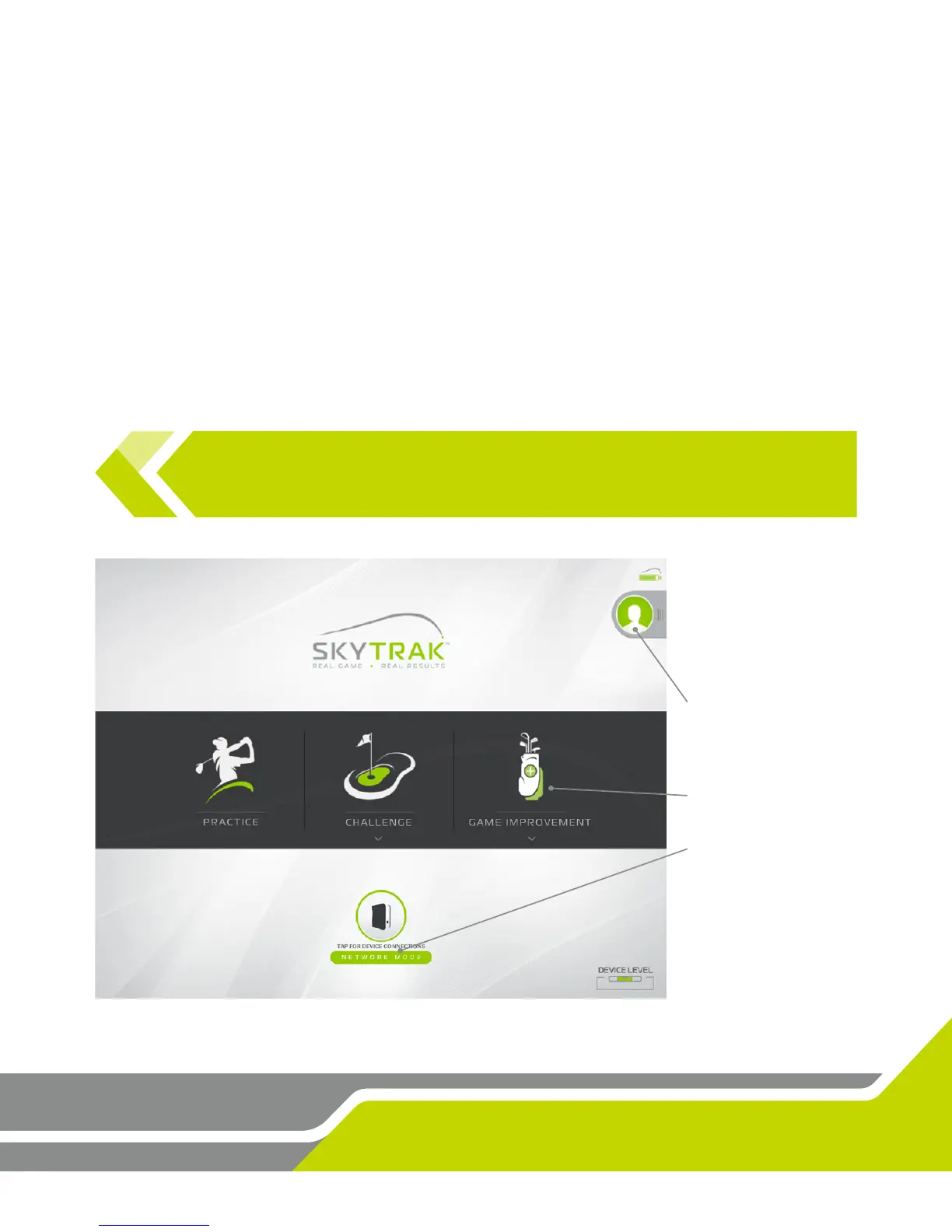
Here you can edit your Account Prole, get connected to the SkyTrak unit, and choose
between the Pracce Range or Challenges.
User Prole Area
GREEN = Logged in
RED = Not Logged in
Select Acvity
Connect your SkyTrak
unit to the soware
TIP: If you are already connected directly to your SkyTrak unit by the me you get
to the dashboard, then the unit should connect on it’s own within 10 seconds. The
same applies if you have already set the unit up on your home network.


 To Next Page