5
Download the SkyTrak App
Find the SkyTrak soware in the Apple® App Store
SM
or download the SkyTrak PC
applicaon on on www.skytrakgolf.com
Register Your SkyTrak
Launch the SkyTrak soware on your iPad®or PC and follow the instrucons in the
SkyTrak applicaon.*
If you already have a SkyGolf / SkyCaddie Account – Log in with your username and
password.
If you do not already have an account, select the “Create Account” opon to create a
SkyTrak online account.
Next, select “Register” to register your SkyTrak. Your SkyTrak’s unique serial number
will display and it will be registered with SkyTrak
2
Seng up your SkyTrak for the rst me is a simple 3-step process:
Let’s Get Started!
1
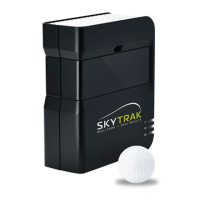
SkyTrak contains a Lithium-polymer rechargeable baery that can operate up to 5
hours on a full charge.
IMPORTANT: The SkyTrak must be charged for a minimum of 6 hours before use.
NOTE: It is advisable to ensure your SkyTrak unit always has a good charge. If the
SkyTrak baery is completely drained it can reduce the life of the baery. When a
low baery indicator shows in the SkyTrak App - charge the unit.
NOTE: The SkyTrak may be connected to PC via full USB to Micro USB cable
supplied. This allows the PC to run a constant charge to the unit, for all day use.
Charging Your SkyTrak
* Your SkyTrak must be registered within 30 days of purchase. SkyTrak comes with basic funconality in-the-
box and may come with some trial features, enabling you to start playing immediately. Advanced features are
available with a SkyTrak annual subscripon plan, which can be purchased at www.skytrakgolf.com.


 To Next Page