28
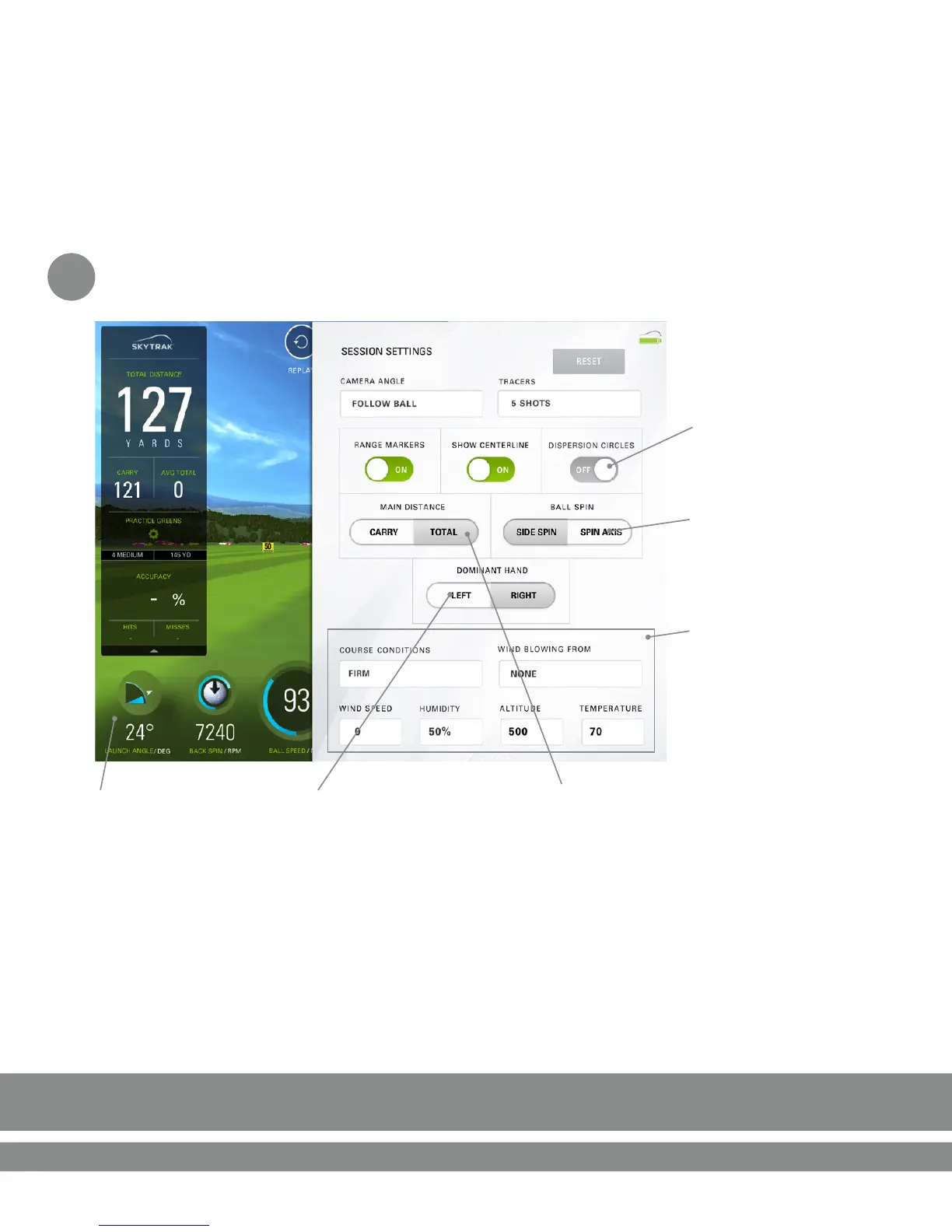
Session Sengs
c
Choose to display either
Side Spin or Spin Axis
Tap here to return
to Range
Set for Right or Le Handed
golfer. *You will also need to
change the orientaon of the
unit on the mat.
Change course
condions and
environmental factors.
Toggle between Total Distance
and Carry distance as the main
display in the upper le of
the range.
Dispersion circles allow you
track your consistency by
highlighng shot groupings
on the range with each
club.


 To Next Page