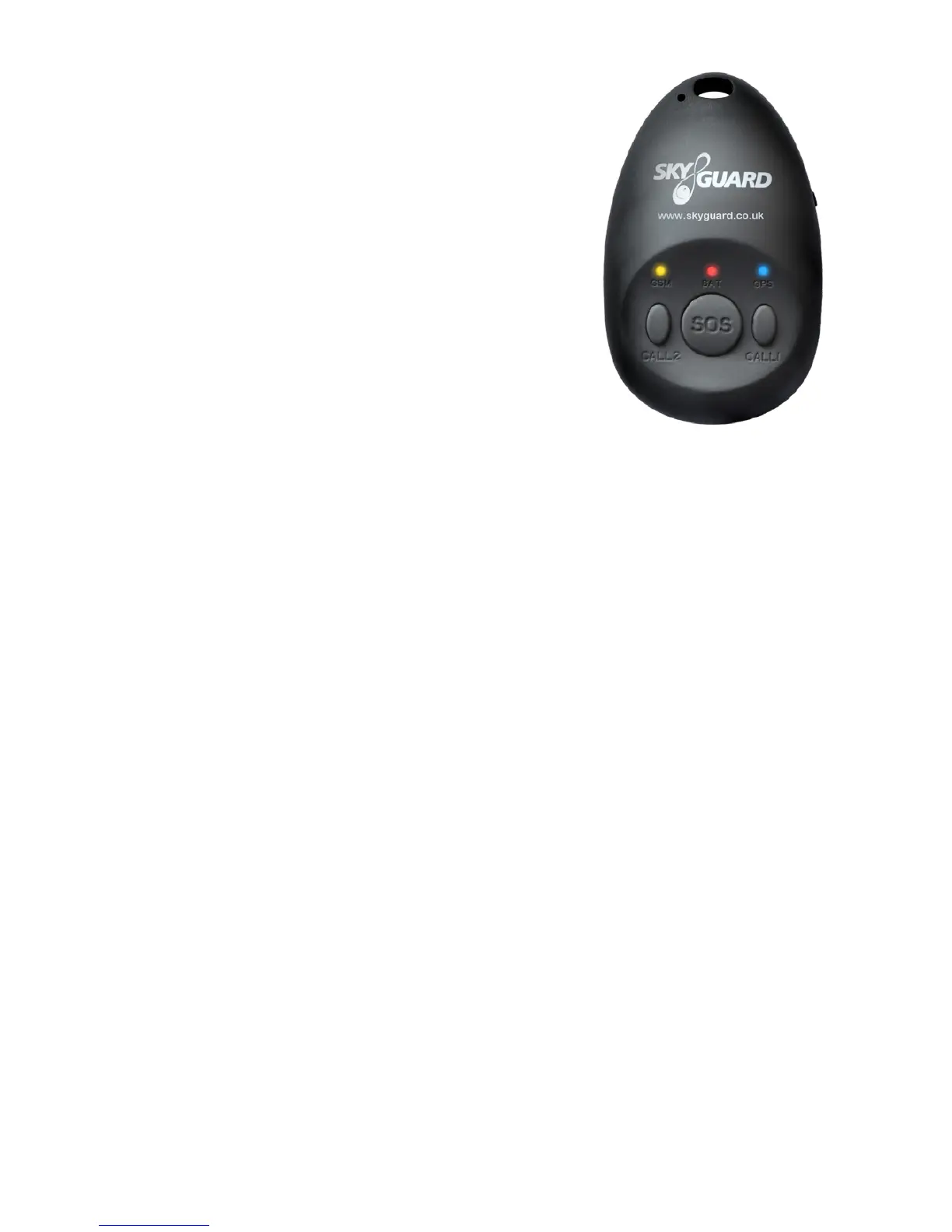
What do the Lights Mean?
MySOS device status indicators.
1. GSM light (Amber)
• Light shows a slow single ash every ve
seconds when the device has a GSM signal.
Light shows a slow double ash every ve
seconds when the device is registered
to the GPRS network. Light not ashing.
This means the device has been unable to
connect to the network.
2. Battery light (Red)
• Continuously lit when battery is charging and switches off when fully
charged.
• Light ashes once every two seconds when operating normally.
• When the SOS button is pressed, the battery indicator light will ash rapidly
to acknowledge button press and will then double ash every two seconds
while the request is being performed. It will then ash normally.
• Light double ashes every two seconds while performing a position request
or making a phone call. It will then ash normally.
• The light will ash three times every ve seconds when the battery is low
and requires charging.
3. GPS light (Blue)
• Light ashes blue every ve seconds when device has acquired a GPS
signal and has an up to date position.
All lights
• All lights ashing simultaneously at the same time is a warning that the
SIM card has failed to register with the device. The MySOS needs to be
restarted to rectify the problem.
• If the problem persists, the battery is low in power and needs recharging
immediately.
- 6 -


 To Next Page