4. Perform a Test Call
Performing an activation (test) call will conrm to us that you have everything
setup to use your device and that you know how to use its primary feature –
raising an SOS alarm to Skyguard’s IMC.
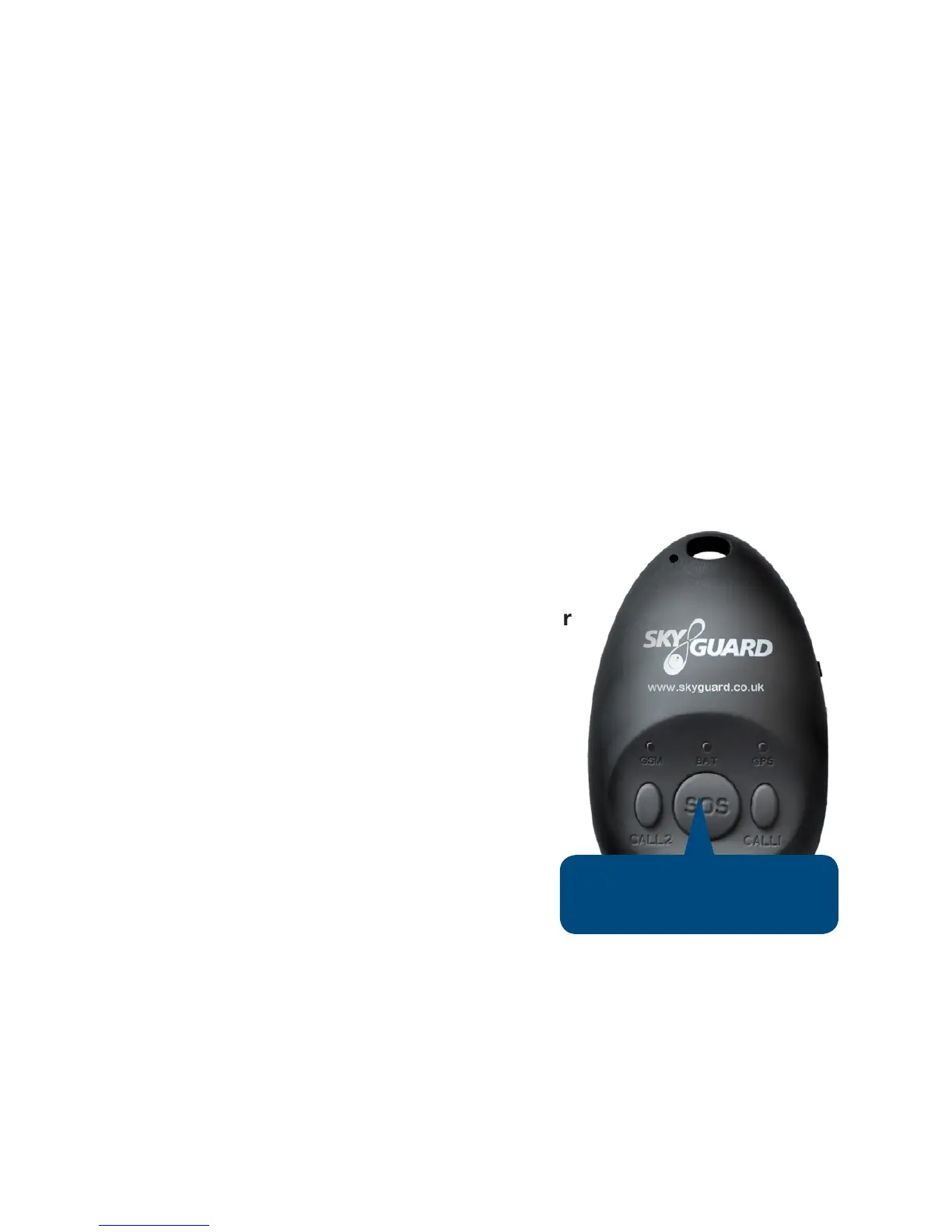
Press and hold the SOS button until the unit starts to vibrate. When the SOS
alarm is activated the unit will vibrate again and a beep will be heard; this signies
a Skyguard Controller is silently monitoring. Note: it can take up to one minute for
the device to connect.
After hearing the beep or when the unit vibrates, speak clearly and say
“Activation call”. The Controller will respond stating the device’s location and will
conrm the user information assigned to the device. Having conrmed it is not an
emergency alarm; the controller will end the call and your test is complete.
How to Use Your Device
Activating an SOS Alarm
Press and hold the large SOS button for four
seconds.
The battery light will start to ash and the unit will
vibrate to conrm the request.
An alarm containing the device’s location will be
sent to Skyguard’s IMC. The unit will vibrate again
and an audible beep will be heard conrming the
two-way voice connection has been made.
Note; this can take up to one minute.
The Skyguard Controller will be listening to the
call silently and only talk if they believe it is safe to do so.
If you activate the MySOS device by mistake, please inform the Skyguard
Controller as soon as the call is answered by saying “Activation call”. The
controller will ask questions based on your user details to conrm that it is not an
emergency and will then end the call.
- 9 -
Press SOS for 4 seconds
to trigger emergency call


 To Next Page