EasyManua.ls Logo

SkyLink IQ SERIES - User Manual

SkyLink IQ SERIES
32 pages
Print Icon
To Next Page IconTo Next Page
Loading...
www.skylinkhome.com
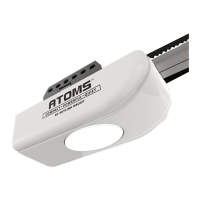
Garage Door Opener
IQ SERIES
DC Motor Chain Drive
Owner’s Manual
Need Help?
Please Call: 1-800-304-1187
FAQ: www.skylinkhome.com
Email: support@skylinkhome.com
This Equipment meets or exceeds all Federal, State and UL325 Safety Requirements.
Please read this manual and enclosed safety materials carefully!
Safety Infrared Sensor MUST BE INSTALLED and aligned properly
Periodic checks of the opener are required to ensure safe operation

Table of Contents

Questions and Answers

  • J
    Jason Howell IVAug 17, 2025
    Why is my SkyLink IQ working from the wall button but not the remote?
    • J
      joseph17Aug 17, 2025
      First, check if the wall console is in lock mode. Then, verify if the remote indicator light glows when you press the remote button; if not, replace the battery. If the light glows, ensure the opener has learned the remote's code by repeating the remote programming steps.
  • L
    Linda JacobsAug 19, 2025
    How do I fix a SkyLink Garage Door Opener that works with the remote but not the wall button?
    • N
      nancy68Aug 19, 2025
      First, make sure the wiring connections are correct. If the wall button is not lit, disconnect the low voltage wires to the wall button and momentarily touch them together. If the opener runs, replace the wall button. If it doesn't run, check wiring connections at the opener and check the wire for shorts or breaks under the wire holder.
  • M
    Misty WilliamsAug 22, 2025
    Why doesn't my SkyLink Garage Door Opener open completely?
    • B
      Brian NashAug 22, 2025
      Check for any obstructions that may be preventing the door from opening fully, and remove them. If the door has been working properly but now doesn't open all the way, reset the travel limit adjustment. Ensure to run a complete opening and closing cycles to reset the force adjustment as well.
  • N
    nancy09Aug 25, 2025
    What to do if my SkyLink Garage Door Opener tries to operate, but the door doesn't move?
    • A
      Amy EdwardsAug 26, 2025
      A door spring may have been broken. Visually inspect the door hardware for any broken springs and have a qualified garage door service professional repair the door if any door hardware is broken. Also, if you live in a cold weather climate, check that the door is not frozen to the ground or that snow buildup is not blocking the door.
  • S
    Samantha HoAug 27, 2025
    How to reduce noise from a SkyLink IQ?
    • D
      David CummingsAug 27, 2025
      Try adjusting the chain tension. Also, lubricate the door hardware as recommended by the garage door manufacturer.
  • T
    Thomas SheppardAug 30, 2025
    What to do when SkyLink Garage Door Opener won't work due to power failure?
    • G
      gparrishAug 30, 2025
      Use the emergency release handle to disconnect the opener from the door. The door can then be opened or closed manually until power is restored.
  • K
    kochoaSep 2, 2025
    How to troubleshoot a SkyLink IQ Garage Door Opener that won't open with the wall button or remote?
    • B
      Brenda ThomasSep 2, 2025
      First, ensure the opener's AC outlet has power by plugging a lamp into it; if the lamp doesn't turn on, check the fuse box or circuit breaker. Also, check the wall button wiring at both the wall button's and the opener's terminals. Finally, make sure that the remote is correctly programmed into the opener.
  • C
    Cindy HansonSep 5, 2025
    What to do if my SkyLink IQ door doesn't close completely?
    • S
      Shannon JordanSep 5, 2025
      First, check if something is obstructing the safety beam sensor and ensure the receiving beam sensor's LED is on. Also, check for any obstructions in the door's path and remove them. If the door has been working properly but now doesn't close completely, reset the travel limit adjustment and run complete opening and closing cycles to reset the force adjustment.
  • J
    Jennifer BeasleySep 7, 2025
    Why does my SkyLink IQ Garage Door Opener door reverse for no reason?
    • C
      Courtney HaydenSep 7, 2025
      The door hardware may be binding. Disengage the trolley and manually check the door movement and balance, and lubricate the door hardware as recommended by the garage door manufacturer. Also, re-adjust the travel limits and force adjustments to ensure the automatic force adjustment is set properly. Finally, ensure the safety beam sensor is securely fastened and no sunlight is shining directly onto the receiving sensor.
  • A
    Anita FullerSep 12, 2025
    Why does my SkyLink IQ activate by itself?
    • B
      brownginaSep 12, 2025
      Check all remotes programmed into the opener, looking for items pressing on any remote's button. If a remote has been stolen, erase the opener's memory to prevent the lost remote from activating the opener, then re-program the remaining remotes. Inspect the wiring between the wall button and the opener for cuts or pinches in the wire's insulation, and replace any bad wiring. Also, examine the wiring at the opener's and wall button's terminals for wire strands that are close to or touching adjacent terminals.

Summary

PRE-INSTALLATION CHECKLIST

IMPORTANT INSTALLATION INSTRUCTIONS

ASSEMBLE THE T-RAIL

Attach Pulley Bracket

Secure the pulley bracket to the front end of the T-rail assembly.

Install Trolley

Slide trolley onto the T-rail from the back, aligning with the stop bolt hole.

INSTALL THE HEADER BRACKET

HANG THE OPENER

Connect T-Rail Sections

Raise the opener onto a stepladder and connect the T-rail sections.

INSTALL THE DOOR BRACKET

INSTALL THE DOOR ARMS

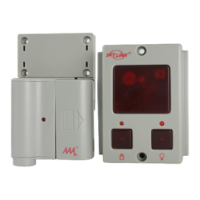
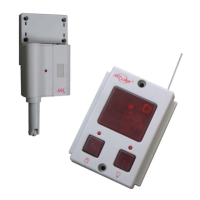
INSTALL THE WALL CONSOLE

CONNECT THE OPENER TO POWER

INSTALL SAFETY BEAM SENSOR

PROGRAMMING WITH WALL CONSOLE

ADJUSTMENTS

Adjust Up and Down Limits

Set the fully open and closed positions for the garage door.

PROGRAMMING

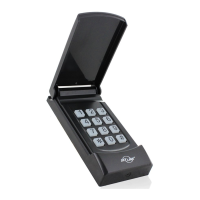
Program Remote Controls

Add new remote controls to operate the garage door opener.

Erase All Remote Controls

Remove all previously programmed remote controls from the opener's memory.

OPERATION

Important Safety Instructions

Review critical safety guidelines before operating the door opener.

Operating the Door

Learn how to activate the opener and the door's response to commands.

MAINTENANCE

TROUBLE SHOOTING

Opener Inoperable (Button;Remote)

Solutions for when the opener does not respond to controls.

Opener Operates, Door Does Not Move

Diagnosing issues when the opener runs but the door remains stationary.

Incomplete Door Travel (Open;Close)

Addressing problems with the door not opening or closing fully.

Opener Activates Unintentionally

Identifying causes for the opener activating on its own.

SkyLink IQ SERIES Specifications

General IconGeneral
BrandSkyLink
ModelIQ SERIES
CategoryGarage Door Opener
LanguageEnglish

Related product manuals