8
C. Automatic code search with mute switching (only for TVs)
1. Switch on your TV.
2. Press the device key. The LED flashes once.
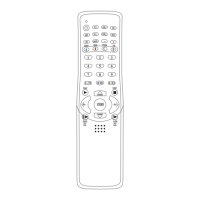
3. Press the Mute key (13) to enter the search mode. The LED flashes and the data is
transferred. Your TV will show the Mute symbol. If it continues to be displayed or is
switched off, press any key to save the code and exit from the mode. The LED goes out.
4.
Check the programme and volume functions. If these do not work correctly, repeat steps 2 to 3.
Note:
1. If the LED flashes 10 times and then goes out, the Setup mode is ended. If necessary, you
may have to repeat steps 2 to 3.
2. With some TVs the Mute symbol is automatically displayed or switched off if the Mute key is
held pressed for longer periods.
D. Displaying the device code
The device code which has been installed in your new remote control unit can be called up as
follows:
1. Hold the SET (10) key pressed and at the same time press key 1 to display the first digit of the
4-digit code. Count how often the LED flashes. If the LED does not flash, this means that the
number is zero.
2. Hold the SET (10) key pressed and at the same time press key 2 to display the second digit of
the 4-digit code.
3. Hold the SET (10) key pressed and at the same time press key 3 to display the third digit of
the 4-digit code.
4. Hold the SET (10) key pressed and at the same time press key 4 to display the fourth digit of
the 4-digit code.
Example for code 0359:
1. Press SET (10) and key 1 = LED does not flash.
2. Press SET (10) and key 2 = LED flashes three times.
3. Press SET (10) and key 3 = LED flashes five times.
4. Press SET (10) and key 4 = LED flashes nine times.
From page 26 onwards you can find the codes for SKYMASTER devices and other brands.


 To Next Page