Need help?
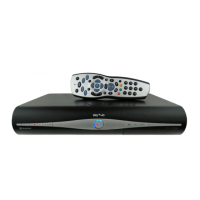
Do you have a question about the Sky+HD DRX890 and is the answer not in the manual?
Introduces the Sky±HD box, its features, and benefits, including recording and storage capabilities.
Details the physical components and indicators on the Sky±HD box and its remote control.
Explains how to power the Sky±HD box on, put it into standby, or turn it off completely.
Instructions and cautions regarding the proper handling and use of the Sky±HD viewing card.
Guides on connecting the Sky±HD box to a broadband router via Wi-Fi or Ethernet for On Demand services.
Identifies and explains the functions of various buttons on the Sky±HD remote control.
Describes how to use the Sky±HD remote to control both the Sky±HD box and your television.
Instructions on adjusting the TV volume using the Sky±HD remote and using the mute function.
Explains how to change channels one by one or by entering the channel number directly.
Introduces the on-screen banner for viewing current, upcoming, and later programmes.
Navigating and using the Sky± Homepage to explore entertainment options like TV Guide, Planner, and Search.
Explains how to navigate the Sky Guide interface for accessing different services like Box Office, Radio, and Settings.
Details on using the TV Guide screen to view channel listings, programme information, and shortcuts.
Methods for finding channels in the TV Guide, including by number and browsing listings.
How to filter TV Guide listings to view only HD channels and identify them by the 'HD' label.
Explains how HD programmes are indicated in the programme information bar and TV Guide listings.
How to quickly return to the previously watched channel using the blue button or left arrow.
Using the 'i' button to access detailed programme information from various screens.
Explains rating and content codes displayed in programme information banners.
Instructions on how to tune into and record radio channels using the Sky±HD box.
How to save a paused or rewound live TV programme to your Planner for later viewing.
Customising the duration of the instant rewind feature for live TV playback.
Guides on recording programmes currently being watched or scheduled later.
How to record programmes directly from the TV Guide, On Demand, or Sky Box Office listings.
Using the Sky± app or website to set recordings remotely when not at home.
Setting up recordings for advertised future programmes using the 'remind me' option.
How to set reminders for programmes to ensure you don't miss them.
Overview of On Demand services, including Catch Up TV, TV Box Sets, and Sky Store content.
Navigating the Sky± Homepage to find programmes, including New & Recommended, Catch Up TV, and Sky Store.
Step-by-step guide on how to download and watch programmes on demand.
Locating and managing downloaded programmes within the Planner's Downloads tab.
Guidance on checking programme sizes and managing monthly broadband usage allowances.
Setting up PIN restrictions for programmes based on age ratings to control content access.
How to turn off automatic receipt of on demand content from services like Showcase and Catch Up TV.
Configuring preferences for downloading content in SD, HD, or by being prompted.
Steps for buying or renting movies and TV shows from the Sky Store.
Information on the viewing time limits for Sky Store rentals and how to check recording status.
Details on purchasing movies for permanent access and archiving them within the Planner.
Information on how charges for Sky Store purchases appear on your account and payment terms.
Guide to ordering pay-per-view events and programmes from Sky Box Office.
How to browse sports listings, filter by favourites, and watch live sports events.
Finding personalised TV show and movie recommendations based on your viewing history.
Using enhanced search features to find programmes by title, actor, director, or other criteria.
Using Planner tab options to filter and view recordings, downloads, and purchased content.
How to quickly find recorded or downloaded programmes by typing part of the title.
Automatically recording entire series or setting reminders for future episodes.
Selecting a recorded programme from the Planner and choosing a starting point for playback.
Resuming playback of a recording from the point where it was last stopped.
Understanding the 'Play' symbol which indicates playback progress and how to display it.
How to check the time left until the end of a recording using the Now, Next & Later banner.
Using remote buttons to fast forward or rewind recorded programmes at different speeds.
Freezing the playback of a programme using the pause button.
Playing back programmes in slow motion by holding the play button.
How to stop programme playback and return to live TV or the Planner.
Managing situations where multiple recordings are scheduled simultaneously and selecting which to keep.
Using the 'Keep' option to protect recordings from accidental deletion.
Requiring a PIN for deleting programmes marked as 'Keep'.
How to cancel individual or series recordings from the Planner or listings.
Removing recorded programmes from the Planner.
Restoring programmes that have been deleted from the Planner.
Monitoring the hard disk space used by recordings and On Demand downloads.
Changing settings to receive warnings before automatic deletion of recordings due to low disk space.
Step-by-step instructions for recording programmes from radio channels.
Adjusting recording times to ensure programmes are fully captured, even if they overrun.
Accessing interactive services like Sky Active for account management and upgrades.
Information on available games, including free and charged options, and how to play them.
How to access digital text services on the Sky±HD box and TV.
Setting up and managing favourite channels for easier access and quick channel switching.
Viewing only programmes broadcast on your selected favourite channels.
Setting a PIN requirement for watching rated programmes before the normal watershed time.
Quickly turning PIN restrictions on or off for various viewing options.
Using PINs and settings to restrict access to unsuitable channels or programmes.
Instructions for changing your existing Sky±HD box PIN to a new personal number.
Advice on keeping your PIN secret and what to do if you forget it.
Option to hide all adult-rated content from programme listings and the Planner.
Locking programmes by age rating, requiring a PIN to watch them.
Locking individual channels to prevent viewing, either all day or during specific hours.
Preventing unauthorized purchases of Sky Store or Box Office content and limiting interactive service charges.
Requiring a PIN for deleting programmes marked as 'Keep'.
Locking programmes stored in the Planner to prevent them from being played without permission.
Controlling whether the Sky± app can connect to and control your Sky±HD box.
How to enable subtitles or audio description for programmes while watching TV.
Setting up Sky Guide to highlight programmes with subtitles or audio descriptions.
Troubleshooting steps for Single Satellite Feed installations, including switching modes.
How to turn off the mini TV picture and mute audio in the Sky Guide interface.
Marking specific points within a recorded programme for easy future access.
Viewing, accessing, and removing bookmarks from recorded programmes.
Navigating between bookmarks within a recording using the remote control.
Playing a recording directly from a previously saved bookmark.
Pairing the Sky±HD remote with your TV and troubleshooting setup issues.
Steps to follow if the remote setup for the TV fails.
Alternative method for setting up the remote when the brand code is not found.
Instructions for replacing the batteries in the Sky±HD remote control.
Finding telephone numbers for Sky and other broadcasters for support.
Manually adding channels not present in the standard Sky Guide listings.
Accessing and viewing channels that have been manually added to the Sky Guide.
Adjusting HD resolution output settings (e.g., 720p, 1080i) for optimal picture quality.
Enabling the feature to automatically turn on the TV and switch HDMI input for the Sky±HD box.
Transferring recorded programmes from the Sky±HD box to a video or DVD recorder.
Customising the behaviour of the playback indicator lights on the front panel of the Sky±HD box.
Connecting the Sky±HD box to an HD ready TV using an HDMI lead.
Connecting the Sky±HD box to a TV with a DVI port using audio and DVI leads.
Guides on connecting the Sky±HD box to DVD/video recorders or audio systems.
Enabling Dolby Digital audio output for a home cinema system via optical, coaxial, or HDMI.
Correcting audio-video sync issues when using digital audio outputs with a home cinema system.
Reducing energy consumption by switching the Sky±HD box to standby mode when not in use.
Explains Active Standby and Eco Standby modes for energy saving on specific Sky±HD box models.
Information on proper disposal and recycling of electrical and electronic waste equipment.
Guidance on recycling cardboard packaging and its environmental benefits.
Instructions for safe and environmentally friendly disposal of batteries, noting hazardous materials.
Provides a web link for further information on recycling and environmental tips.
General safety precautions and warnings for operating the Sky±HD box and associated equipment.
Important safety advice regarding electrical shock hazards, repairs, and environmental conditions.
Information on mains plugs, fuse replacement, and suitability for power outlets.
Correct procedures for connecting the Sky±HD box to the AC mains supply.
Technical specifications for the Sky±HD DRX890W model, including connectors and capacity.
Technical specifications for the Sky±HD DRX895W model, including connectors and capacity.
Technical specifications for the Sky±HD DRX890 model, detailing connectors and system features.
Technical specifications for the Sky±HD DRX895 model, detailing connectors and system features.
Technical specifications for the Sky±HD DRX780 model, including connectors and hardware details.
Technical specifications for Pace Mk1 and Mk2 models, covering hardware and connectivity.
Technical specifications for Samsung Mk1 and Mk2 models, including hardware and software features.
 General
| Brand | Sky+HD |
|---|---|
| Model | DRX890 |
| Category | Set-top boxes |
| Language | English |


 To Next Page