Recording with Sky±
To record…
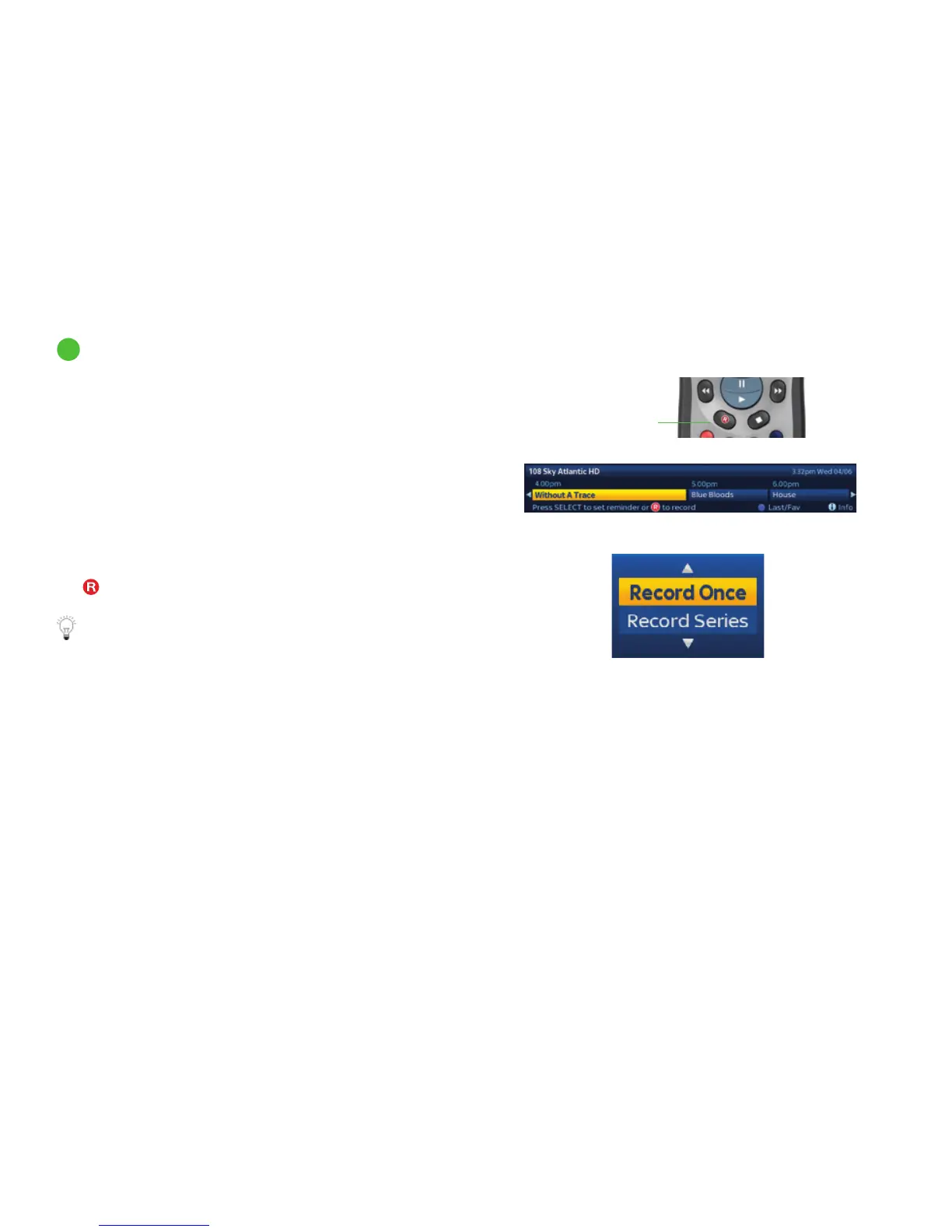
the programme you’re watching now: press the record
button on your remote. When the banner appears, press
record again.
something that’s on later and/or on a different channel: use
the Now, Next & Later banner. When you see the programme
you want, press record.
When you press record, Sky± checks to see the programme is
part of a series and, if so, gives you the choice of recording this
episode only or the remainder of the series. Highlight Record
Once or Record Series by pressing up/down then press select.
The
symbol appears next to the programme title.
When you select ‘Record Series’ Sky± will record the entire
series. For any Sky±HD with Smart Series Link it will also
record the next series when it becomes available. That way
you’ll never miss the new series of your favourite shows.
Smart Series Link is not available on DRX780 boxes.
1
Recording without interrupting what you’re watching
Or surf to another programme and press record
If it’s part of a series, choose to record just
this episode or the rest of the series
Press record
twice to save
what you’re
watching
27



 To Next Page