Need help?
Do you have a question about the Sky+HD DRX895 and is the answer not in the manual?
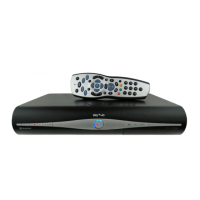
Introduces the Sky±HD box and its capabilities, including HD readiness and recording features.
Details the physical components and controls of the Sky±HD box, including front panel buttons and indicator lights.
Explains how to power the box on, put it into standby, or turn it completely off using the remote or front panel.
Instructions on handling and the importance of the viewing card for accessing Sky TV channels.
Essential steps for connecting the box via Wi-Fi or Ethernet for On Demand services.
Explains the function of each button on the Sky±HD remote control.
Instructions on how to adjust the TV volume using the Sky±HD remote.
How to switch between TV channels using the remote control.
Key interface element for browsing current, upcoming, and later TV listings without interrupting viewing.
The main menu for accessing entertainment features like TV Guide, Planner, and On Demand.
Navigating the Sky Guide interface to find programmes, channels, and services.
Understanding the on-screen TV guide layout, including tabs and information areas.
Explains the rating and content codes used in programme listings.
How to save a programme to your Planner if you miss content during live TV.
Customizing the duration for which live TV can be rewound.
How to record programmes currently being watched or from the TV Guide.
Recording programmes directly from the TV Guide, including series links.
Setting recordings remotely using the Sky± app or website.
How to set reminders for programmes to avoid missing them.
Introduction to on-demand content, including Catch Up TV and TV Box Sets.
Browsing and finding programmes available through on-demand services.
Step-by-step guide on how to download and play on-demand content.
How to buy or rent movies and TV shows from the Sky Store.
Using enhanced and basic search functions to find specific programmes.
Overview of the Planner interface and its various tab options for organizing recordings.
How to find specific recorded or downloaded programmes within your Planner.
Automatically recording entire series of programmes for continuous viewing.
Selecting and starting playback of recorded programmes from your Planner.
Navigating through recorded playback using fast forward and rewind functions.
Handling situations where multiple recordings are scheduled simultaneously.
Using the 'Keep' option to protect important recordings from accidental deletion.
Managing storage space and understanding warnings about low disk space.
Adjusting recording buffer times to ensure full programme capture.
Accessing interactive features like Sky Active for service upgrades and account management.
Information on available games, including free and chargeable options.
How to use the teletext service for information or text-based services.
Setting up and navigating your personalized list of favourite TV channels.
Quickly turning PIN restrictions on or off for various content types.
Using PINs and parental controls to restrict access to certain channels or programmes.
Instructions for pairing the Sky±HD remote with your TV and troubleshooting connection issues.
Adjusting HD resolution output and other display settings for optimal picture quality.
How to transfer recorded programmes from your Sky±HD box to external video or DVD recorders.
Initial setup guide for connecting the Sky±HD box to an HD ready TV via HDMI.
Initial setup guide for connecting the Sky±HD box to a TV with a DVI port.
Guides for connecting to DVD/video recorders, TV aerials, and audio systems.
Enabling Dolby Digital audio output for enhanced surround sound experience.
Tips for reducing energy consumption by using the box's standby mode effectively.
Information on responsible disposal and recycling of electrical equipment.
Guidelines for proper battery disposal and recycling to protect the environment.
General guidelines for safe operation of the Sky±HD box and associated equipment.
Important safety warnings, including risks of electric shock and environmental hazards.
Information on the mains plug, fuse replacement, and power supply requirements.
Resolving issues related to connecting the Sky±HD box to the broadband router.
Diagnosing and fixing problems where the screen displays no picture or is blank.
Troubleshooting steps for when the Sky±HD remote control is unresponsive.
Resolving common operational faults, such as the box being stuck or unresponsive.
Troubleshooting recording interruptions caused by signal loss or service cancellation.
 General
| Storage Capacity | 500 GB |
|---|---|
| Video Output | HDMI, Scart |
| Connectivity | Ethernet |
| Resolution | 1080i |
| Tuner Type | DVB-S2 |
| HD Capable | Yes |
| USB Ports | 1 |
| Type | Set-top box |
| Audio Output | HDMI |


 To Next Page