Discover a world of entertainment
1
About on demand programmes
On Demand programmes are ready to watch whenever you are
• Enjoy the UK’s biggest Catch Up TV service, including
Sky Channels, BBC iPlayer and 4oD
• TV Box Sets* of the latest and greatest series
• Hundreds of movies for Movies Pack customers
• Buy or rent the latest movies in Sky Store
• Plus documentaries, kids’ shows and much more
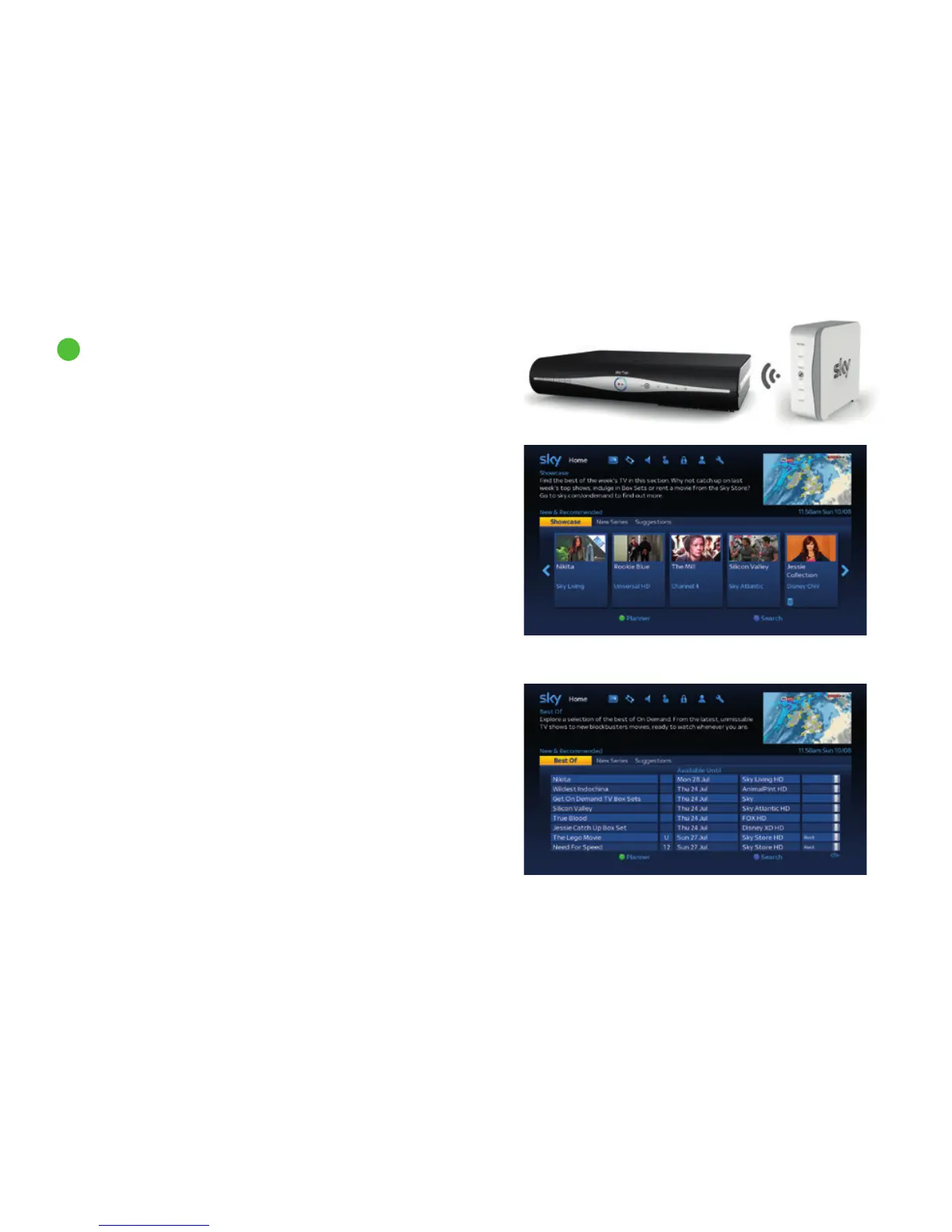
If you haven’t connected your box to broadband yet, you’ll only be able to
take your pick from a limited selection of the week’s best TV on demand.
So to get the full service, including access to Catch Up TV, just connect
your Sky±HD box to your broadband router. Content depends on your
Sky TV subscription.
If your Sky±HD box has built-in Wi-Fi connectivity (DRX890W and
DRX895W models only) then you can connect it directly to your
broadband router via W-Fi. See Connecting your Sky±HD box to your
broadband router (page 10) for more information on how to do this.
You can also connect your Sky±HD box to your broadband router using
an Ethernet cable or On Demand Connector. Visit sky.com/ondemand
for more information on how to connect.
On Demand - when your box is connected to broadband
On Demand - when your box isn’t connected to broadband
*When subscribing to Sky HD.
33



 To Next Page