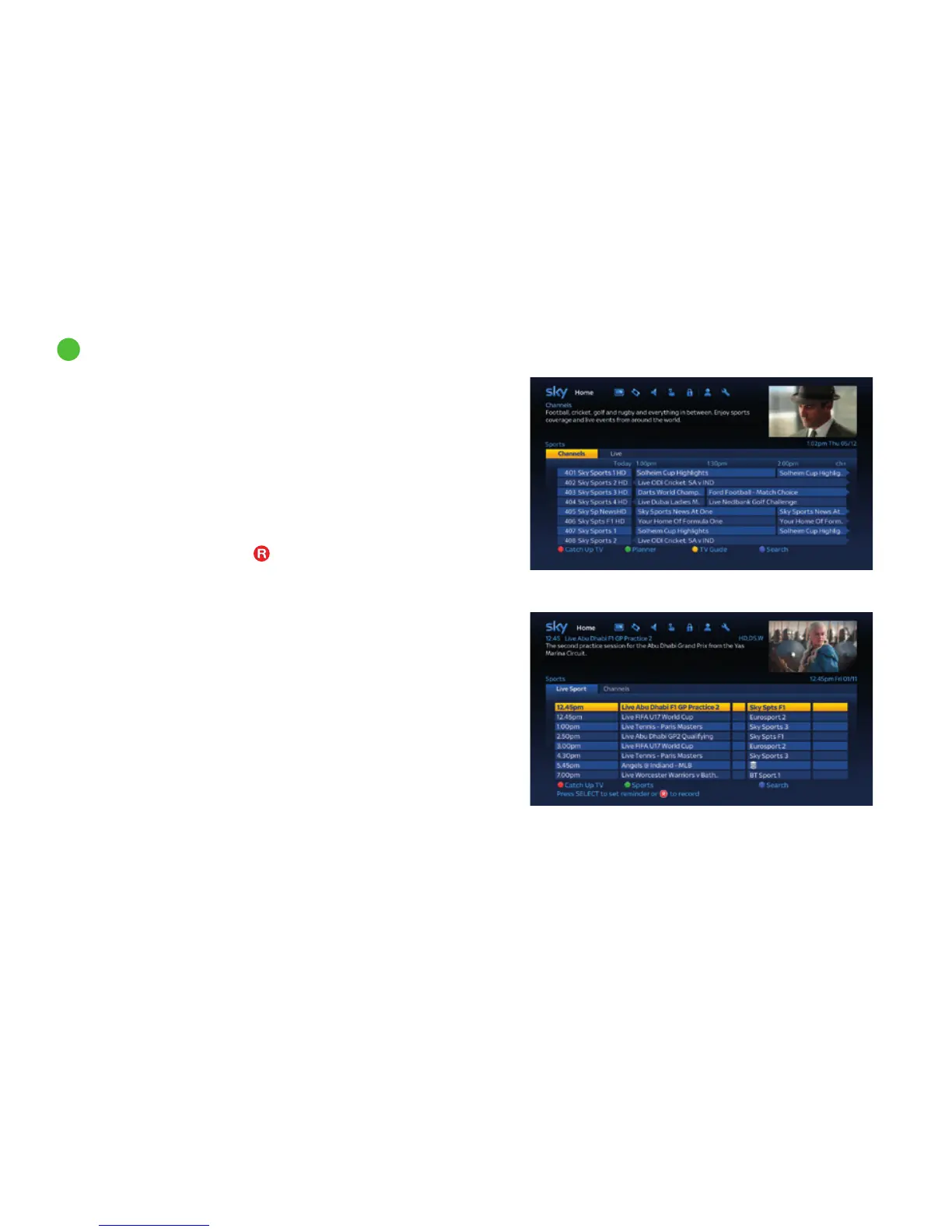
Highlight the Sports tile on the Homepage and press select to
browse through all the sports that is on now and coming soon.
The Channels tab shows a list of sports channels listed by channel
number. This channel listing can also be seen in the TV Guide under
the ‘Sports’ tab.
Use the arrow buttons on your remote control to move up/down
the listings one by one, or press ch+ / - on your remote control to
go up/down one page at a time.
To watch a programme that is on now highlight it and press select,
or for programmes on later press
to record or select to set a
reminder.
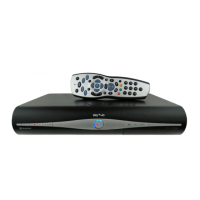
The Live tab shows live sports that are on now or in the future
across all channels. Your Sky±HD box will need to be connected
to broadband to see live sport listings. Find out how on page 10.
14
Watching your favourite sports
Discover a world of entertainment
47



 To Next Page