Watching the TV you love
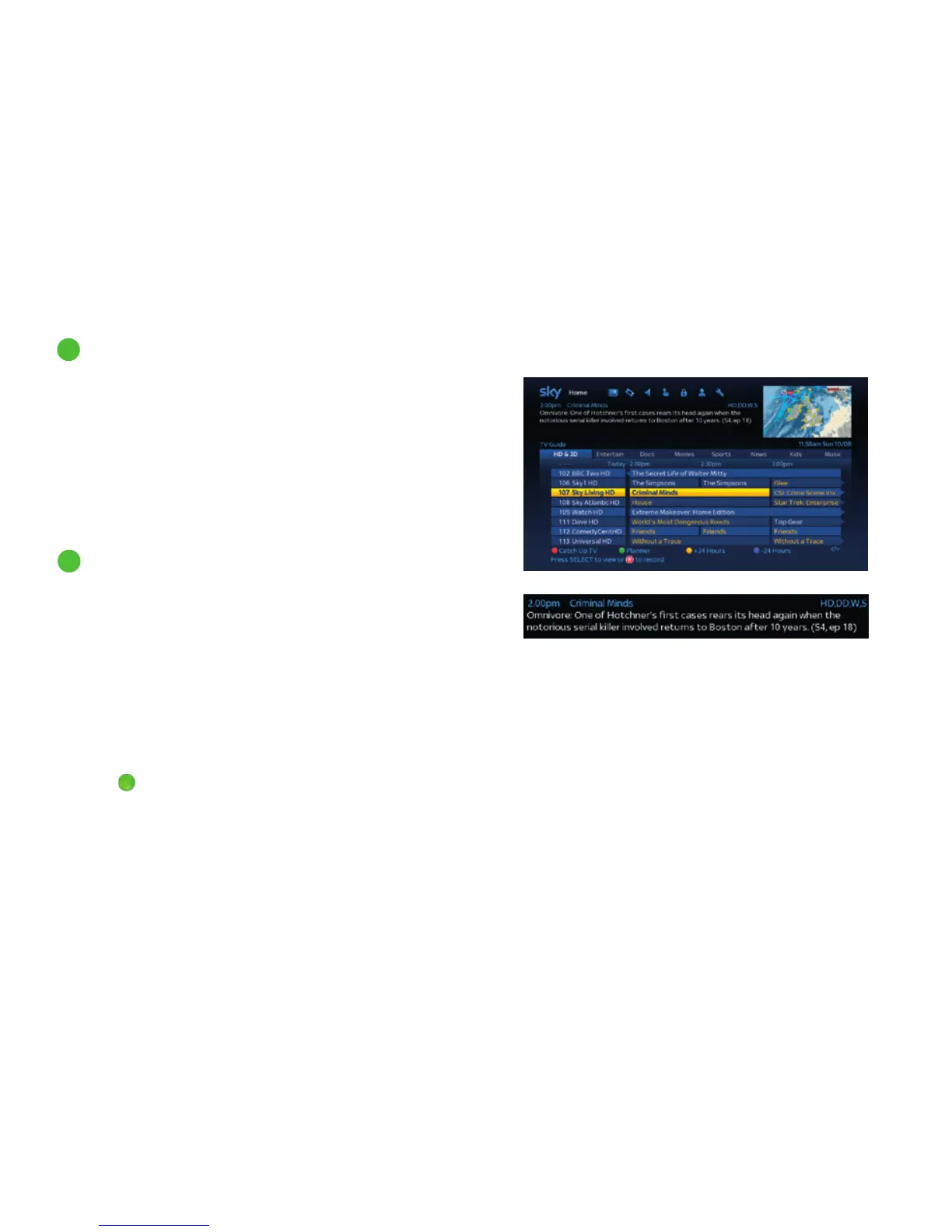
To see listings for HD channels only, go to TV Guide and select
the HD & 3D tab.
In Now, Next & Later and general listings, you can spot HD
channels easily as they have the letters HD after the channel
name, for example, Sky 1 HD.
When you’re watching TV and want to quickly return to the TV Guide,
pressing the left arrow button on your remote control will display the
TV Guide with the last channel you were tuned to highlighted.
A programme broadcast in High Definition will have the letters
HD in its programme information bar:
• While watching the programme, press i on your remote
• From the Sky Guide listings, just highlight the programme
and check the programme information in the top left corner.
In full screen mode, highlight the programme and press i
• HD programmes are highlighted in yellow in the TV Guide
listings so they’re easier to spot. You can find this setting in
Options > Customise. Under Highlight Programmes
Originated in HD press left/right to select ON/OFF.
Press
green button (Save Settings) when you’re done
5
Seeing what’s on the HD channels
6
Identifying HD programmes
20



 To Next Page