Recording with Sky±
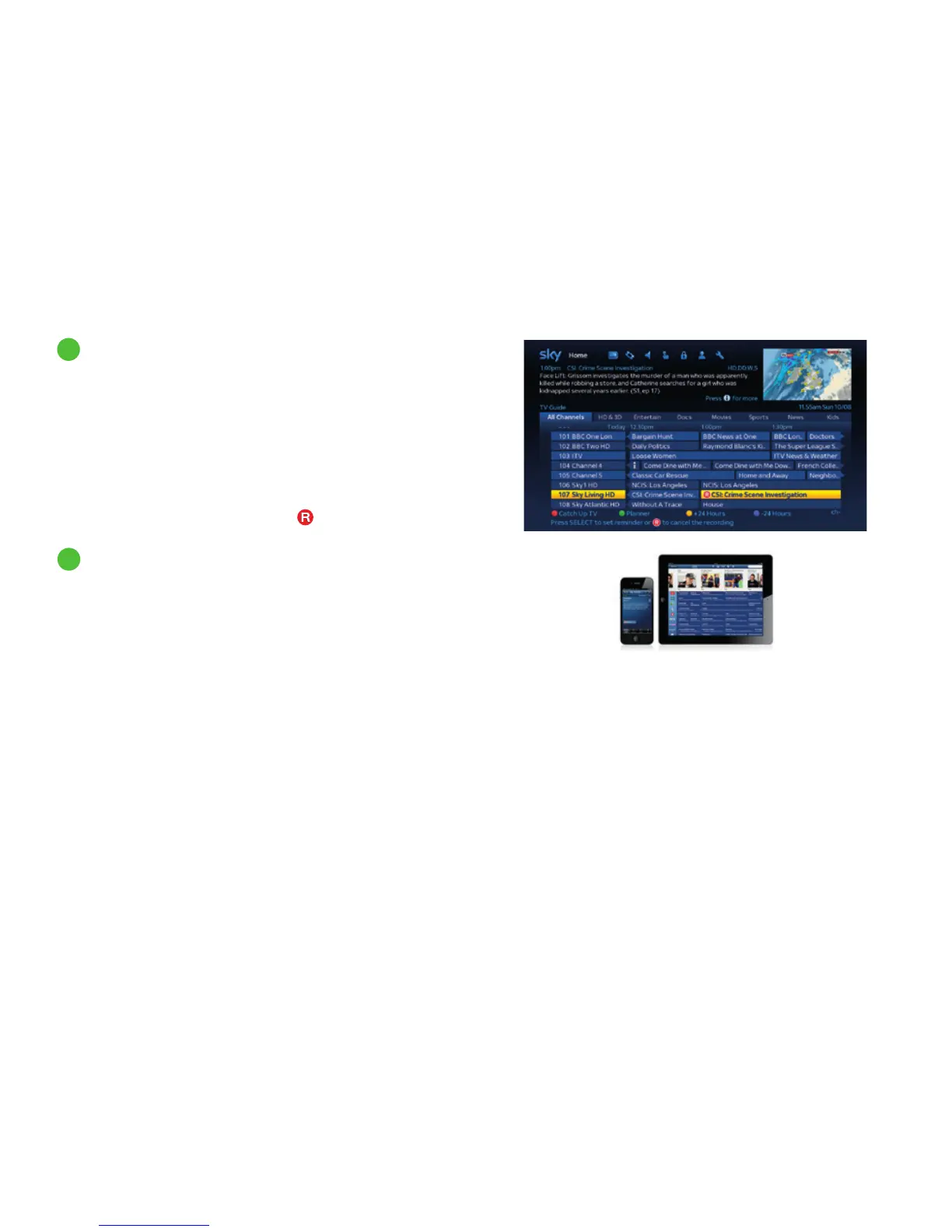
If you see something you want to record in TV Guide, On Demand
or Sky Box Office listings, highlight it and press record. When you
press record on a programme in the TV Guide, Sky± checks to see
if the programme is part of a series and, if so, gives you the choice
of recording this episode only or the remainder of the series. For
any Sky±HD box with Smart Series Link it will also record the next
series when it becomes available. Smart Series Link is not available
on DRX780 boxes. Highlight Record Once or Record Series by
pressing up/down and press select. The
symbol appears next
to the programme.
You can set your Sky±HD box to record using the Sky± app on your
mobile phone and tablet even when you’re not at home. Or you can
go to sky.com to use Remote Record. To find out more go to
sky.com/remoterecord
2
Recording from Sky Guide listings
3
Recording from anywhere you go
28



 To Next Page