EasyManua.ls Logo

Sleipner 8730B - 8730 B Wiring Diagram - with Touch Panel; 8730 S Wiring Diagram

Sleipner 8730B
12 pages
Print Icon
To Next Page IconTo Next Page
To Previous Page IconTo Previous Page
Loading...
5
2 0 71
4 2024
-
Sleipner Installation Guide
MG_0662
Bow
Cut here
Stern
1
MC_0735
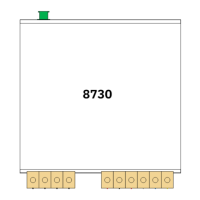
S-link External Switch Interface Installation
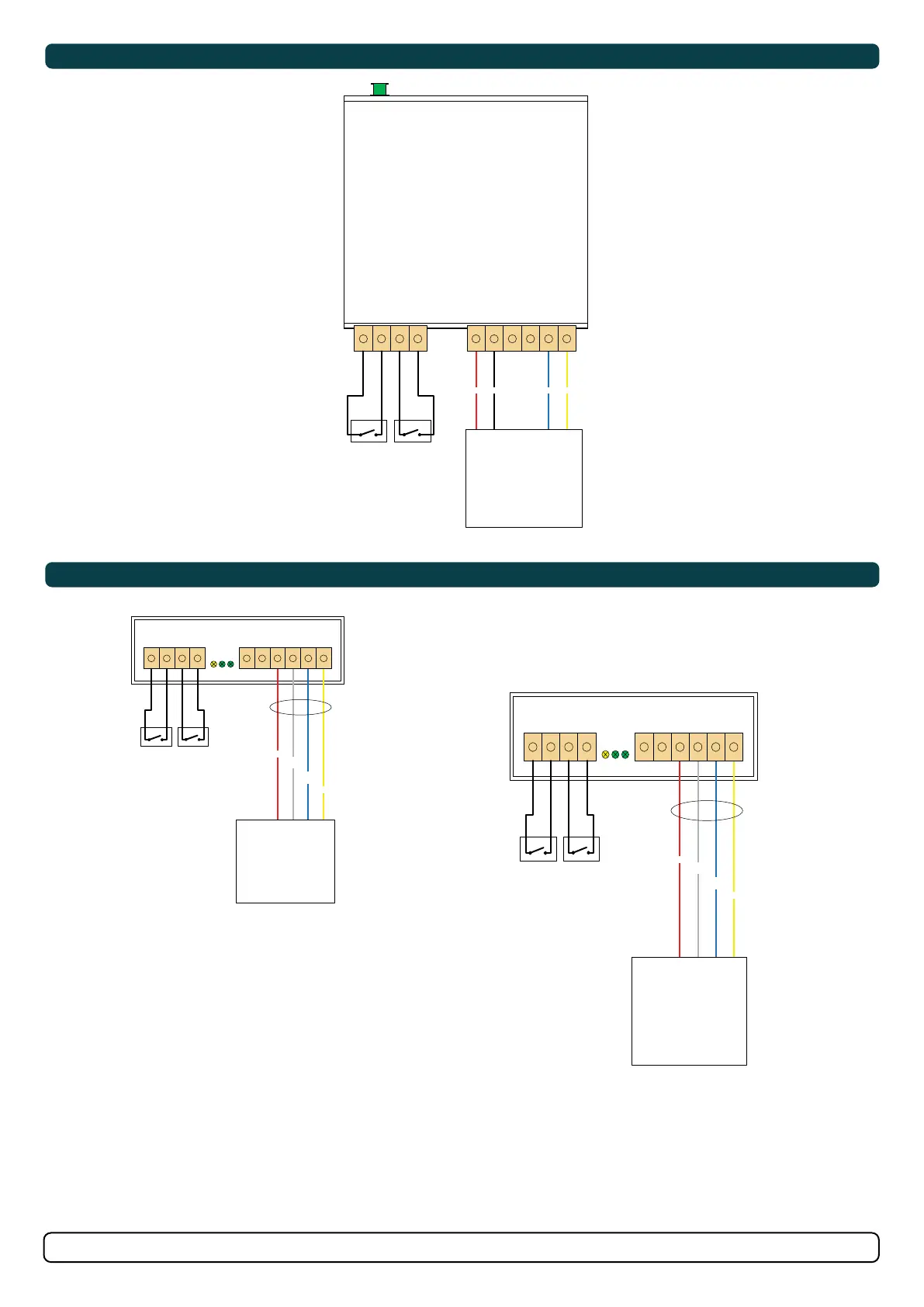
Connect the (foot) switches according to the wiring diagram(s).
1. To connect the optional radio remote, fi rst cut the wires close to the plastic connector on the “bow” connection lead according to Fig. 1. Strip the
wires properly and connect to the 8730 according to the wiring diagram(s). Do the same with the “stern” wires if needed.
2. Mount the 8730 in a place where it will be protected from direct and condensed water ingress. Use cable ties or other suitable means of
mounting.
3. Plug the S-link Spur cable into the green connector at the rear of interface box. Twist the locking ring on the connector clockwise to secure
connector.

MG_0760
8730B Wiring Diagram - With Touch Panel
8730S Wiring Diagram
RED BLACK BLUE YELLOW
PORT
STARBOARD
REMOTE ACTIVE
PORT
STARBOARD
REMOTE ACTIVE
Cut off wires from
STERN connector
RED
GREY/
WHITE
BLUE/
WHITE
YELLOW
RED
GREY/
WHITE
BLUE/
WHITE
YELLOW
Radio Remote
Radio Remote
S-link
Foot
switch
port
Foot
switch
starboard
Foot
switch
port
Foot
switch
starboard
Foot
switch
port
Foot
switch
starboard
Top View
Touch Panel
Top View
8730
8730
8730
Front View

Related product manuals