REMOTE CONTROL INSTRUCTIONS
HOW TO CHANGE THE REMOTE
In the event the remote control needs to be replaced for any reason please follow these instructions
to sync your new remote to your launcher.
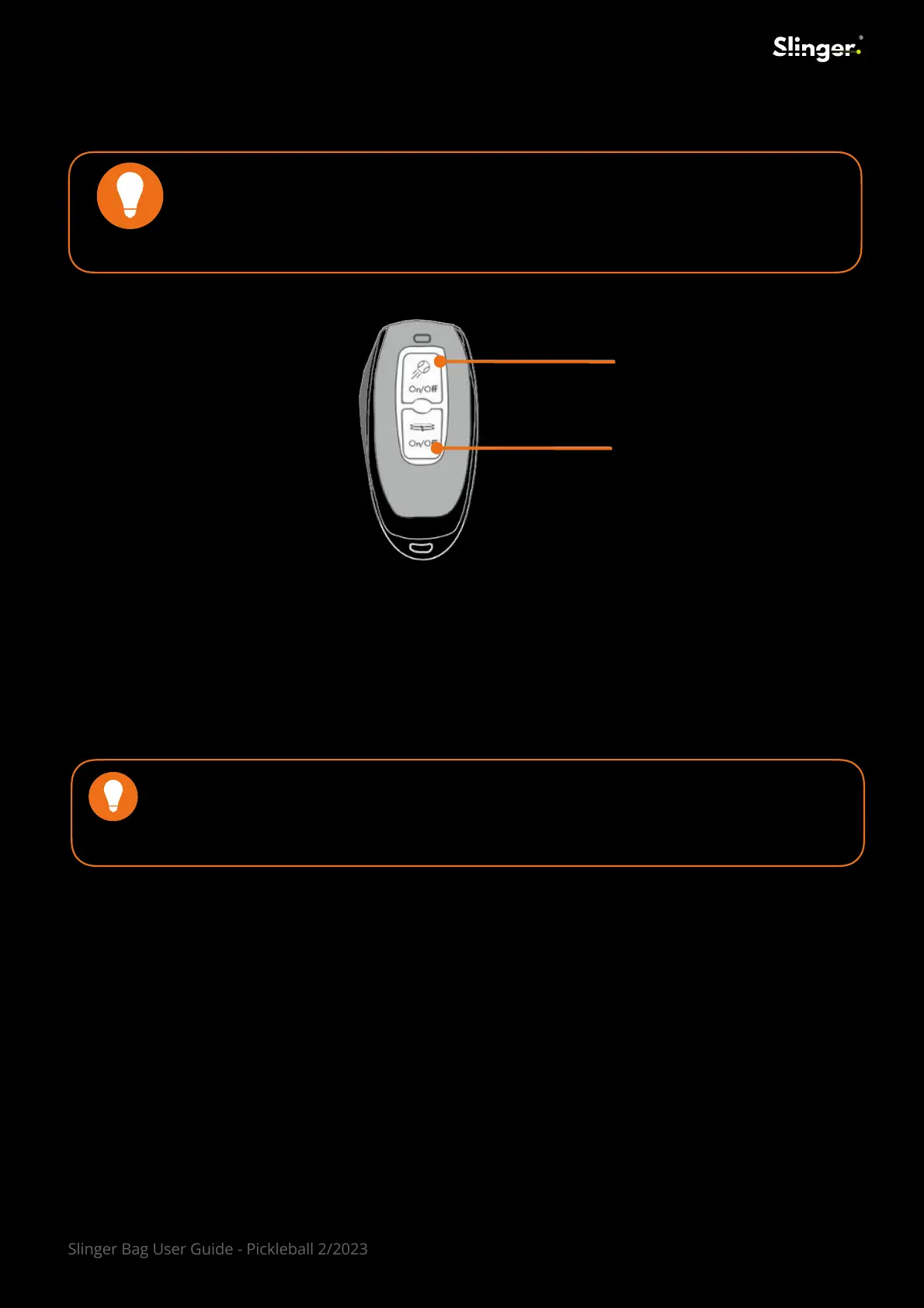
Upper Button
Lower Button
To turn the Launcher On/Off
To turn the Oscillator* On/Off
USER NOTE
Replacement remote control units can be purchases by visiting:
www.slingerbag.com/replacement-remote-control.html
1. Please ensure that NO BALLS are located inside the bag or the FEEDER PLATE.
2. Switch the launcher to “ON”.
3. Using a small pin, push the reset button once (reset button #4 on the control panel).
4. Wait 3-5 sec.
5. Push reset button one more time to complete the syncing.
6. Press the top button on the remote to hear a BEEP which indicates a successful connection.
21
USER SUGGESTION
When not in use attach the remote securely to one of the zipper pulls on the
Slinger Bag. It is easy to remove for use and is easily replaced at the end of use.
Slinger Bag User Guide - Pickleball 2/2023



 To Next Page