07 08
Accessories
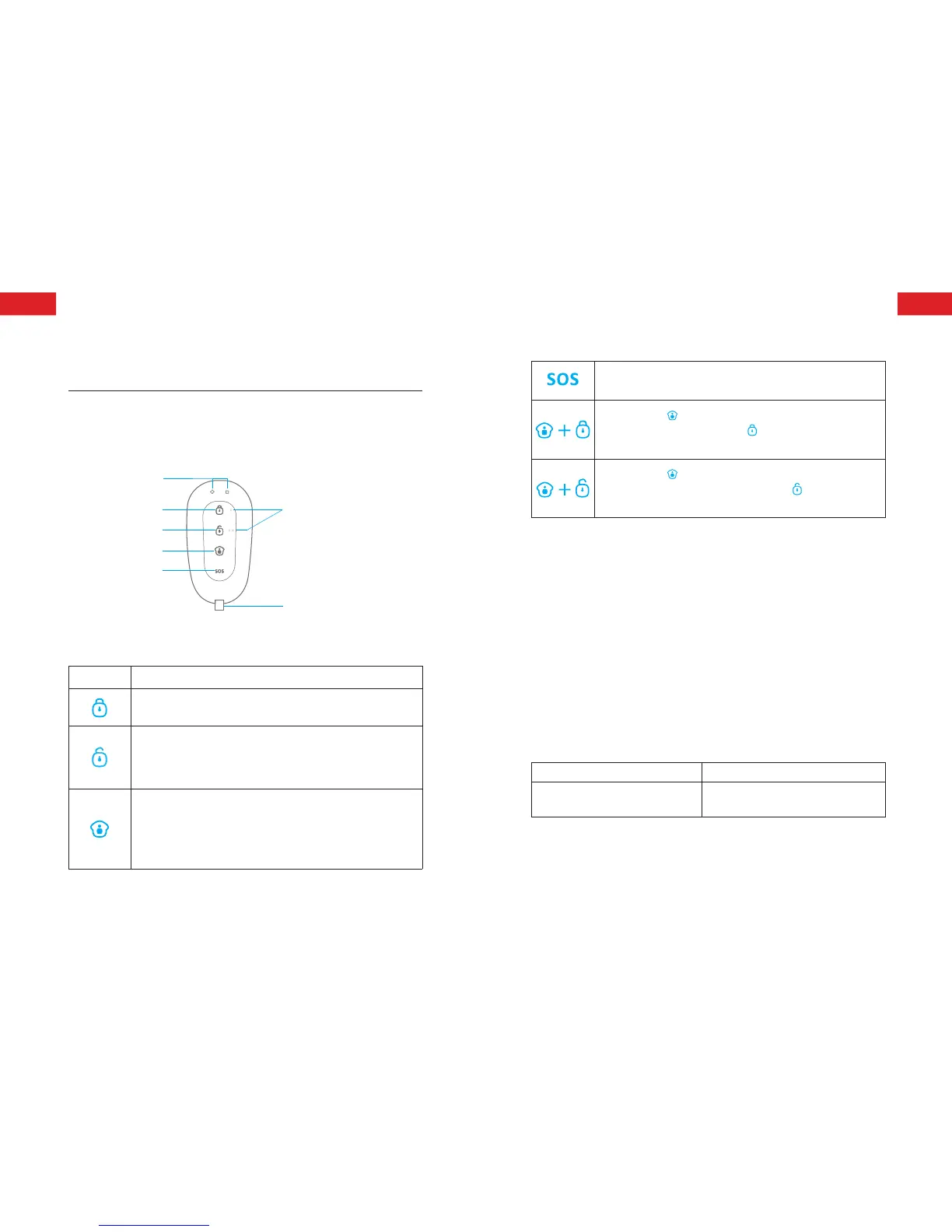
Remote Control
Overview
LED Indicator
Guide Point For The Blind
Arm
Disarm
Stay
SOS
Metal Ring
Note: If you press any button, the LED indicator is dusky and lights off after
ashing twice quickly, means the remote control battery is exhausted.
Button System Status
Press once to arm the system. The siren beeps once and the
red indicator will light on to conrm the system is armed.
Press once to disarm the system. The siren beeps twice and the
green indicator will light on to conrm the system is disarmed.
Note: System will alarm immediately if 24-hour zone detector
or tamper switch of sensor is triggered.
Press once to home arm the system, the siren beeps once after
3 seconds and the blue indicator will light on to conrm the
system is in home mode.
Note: System stops handling signal from home mode zone
detector, which enable users to move freely at home.
The control panel will hoot on-site with indicator ashing, users
will receive an emergency message from App.
Press the [stay ] button, the indicator on the remote control
blinks once, and then press [Arm ] button within 3 seconds
to mutely arm the system.
Press the [stay ] button, the indicator on the remote
control blinks once, and then press [Disarm ] button within
3 seconds to mutely disarm the system.
Zone modes
There are three zone modes available for the sensors.
Normal zone: In arm or home arm state, the detectors set to
normal zone work normally. Once intrusion is detected, the
detectors trigger an alarm.
Home mode zone: When system is in home arm state, the
detectors set to home mode zone are disarmed. The detectors set
to other zones are armed. That is, partial arm.
24-H zone: The detector set to 24-H zone trigger an alarm
immediately when detecting intrusion, no matter the system is
armed or disarmed.
Sensors in This Kit Zone Mode (Default Setting)
DS2300 Door/Window Contact
Normal Zone (can be changed through
App)
Note: The zone mode of 24-hour zone sensor can not be changed.
ENEN



 To Next Page