EN EN
Power Saving Mode
The product features power-saving design. If the detector detects
human movement twice in 3 minutes, it will switch to the sleeping
state to save power. At this time, the LED will not ash and no alarm.
After no movement within the next 3 minutes, the detector switches
back to the working state automatically.
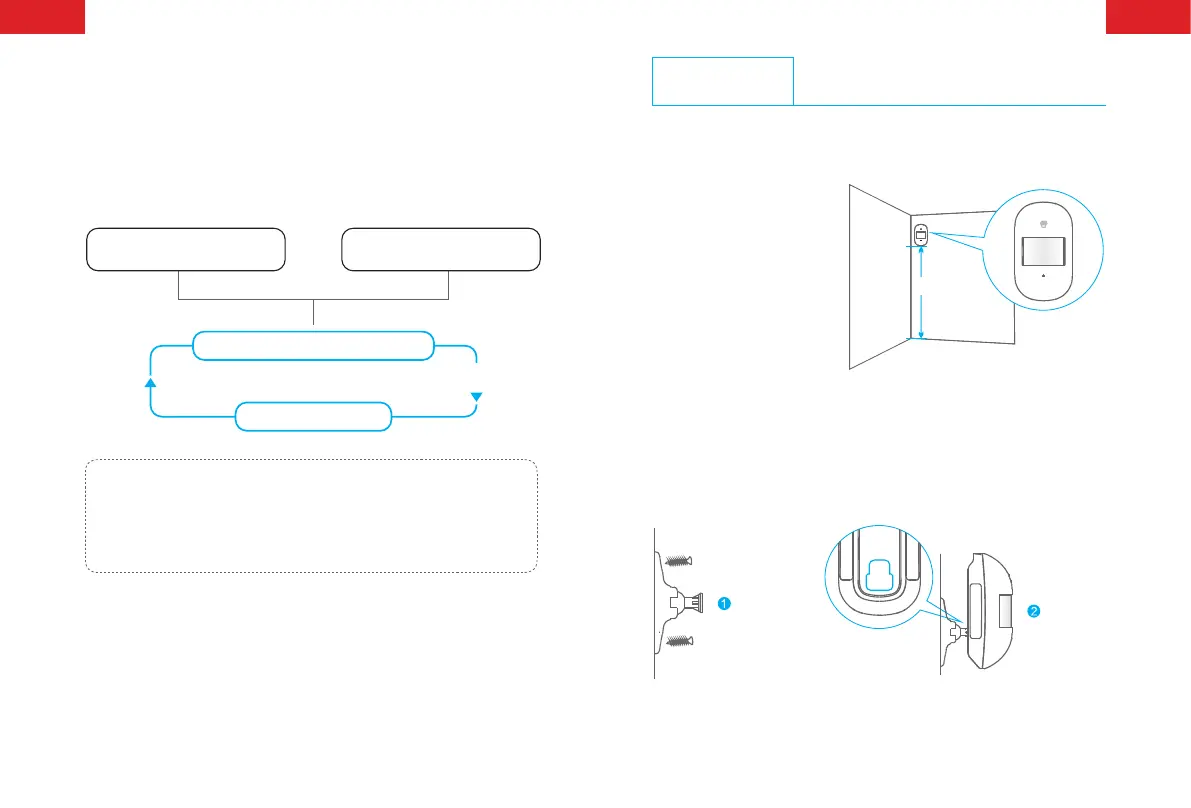
Case 1: Initial start and then enter
into test mode.
3 minutes later
Sleep after detecting human movement twice
Switch from sleep to arm.
No human movement
within 3 minutes
Case 2: Press the test button and
then enter into test mode.
Note: After the detector is in the sleeping state, ensure no human movement
within 3 minutes; otherwise, the detector remains sleeping.
In the sleeping state, it is recommended that you leave the room after arming
the system. Ensure no human movement in 3 minutes. Then, go into the room,
the system alarms immediately.
Installation
After making sure the detector works normally, do as follows:
1. Choose a suitable
installation location
It is recommended to
mount it at the height of 2
m from the ground.
2.2-2.5 m
Ground
2. Fix the detector
Fix the bracket on the wall with screws and attach the detector to
the bracket. Or user can stick it at the corner with double-sided
tapes.



 To Next Page