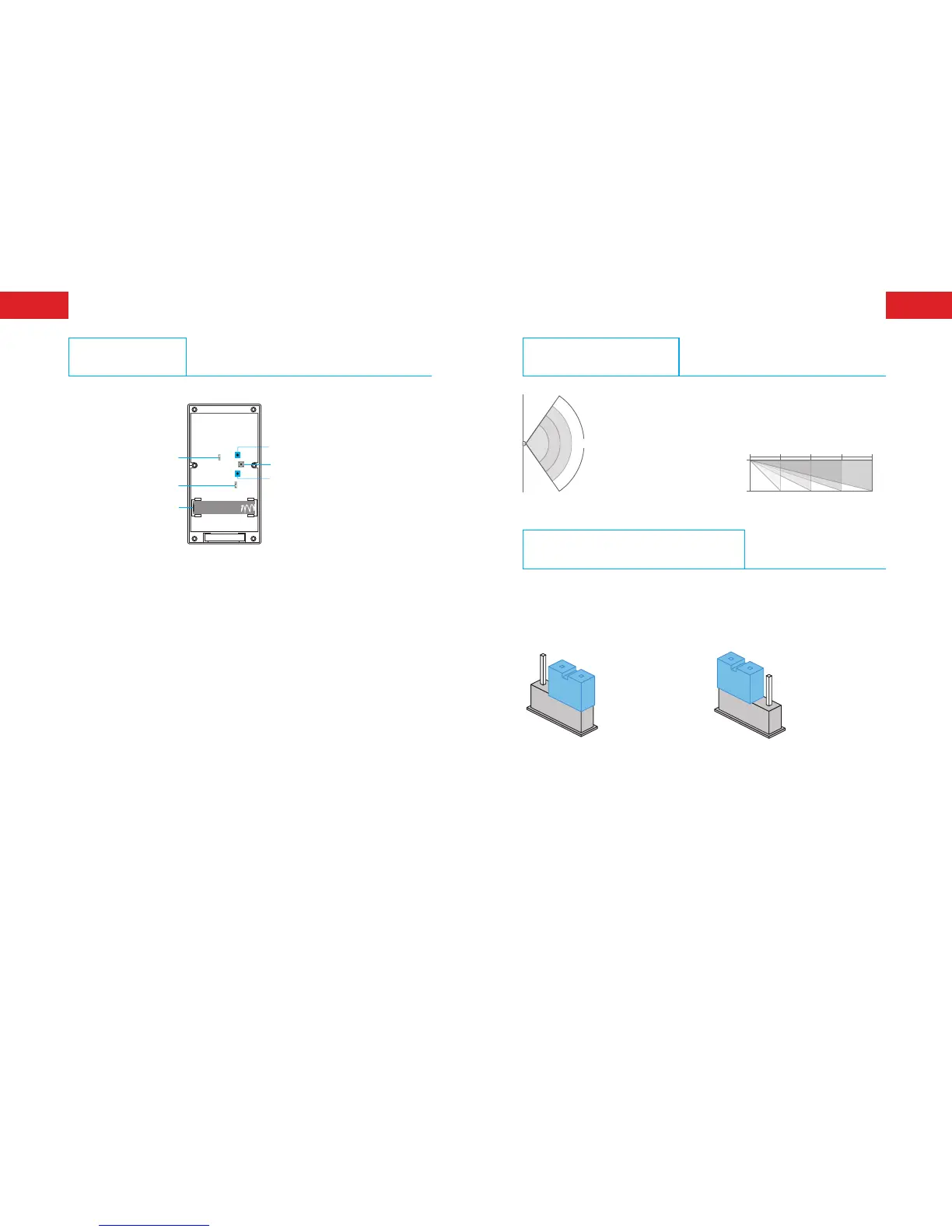
PCB Layout
①
LED On/Off
②
Working Mode
Setting
⑤
Tamper Switch
③
Battery
⑥
Zone Mode Setting
④
Microwave Sensitive Adjustment
3.7 V 18650
1. LED options: ON/OFF (default setting is ON).
2. Working mode options: 10S=Test mode, 5MIN=Power saving mode
(default setting is test mode).
3. Battery: One piece of 18650 rechargeable lithium battery.
4. Microwave sensitivity adjustment options: HIGH, MEDIUM, LOW.
(default setting is medium).
5. Tamper switch: In working state, if the housing is opened, detector
will send alarm signal.
6. Zone mode options: Normal zone, home zone, 24-H zone (default
setting is normal zone).
Normal zone: In arm or home arm state, the detector set at normal
zone will trigger an alarm once intrusion is detected.
Home zone: In home arm state, the detector set at home zone is
disarmed.
24-H zone: The detector set at 24-H zone will trigger an alarm once
intrusion is detected, no matter the system is armed or disarmed.
Detection Scope
Top view
Side view
2m
4m
6m 8
2m
110°
Working Mode Selection
After the battery is loaded, the detector enters into 1 min self-
testing with the red and orange LEDs ashing continuously, and
then it starts to work according to the pre-set working mode.



 To Next Page