EasyManua.ls Logo

Smappee EV Wall - Page 28

Smappee EV Wall
36 pages
Print Icon
To Next Page IconTo Next Page
To Previous Page IconTo Previous Page
Loading...
Smappee EV Wall Installation manual - English
28
Closure
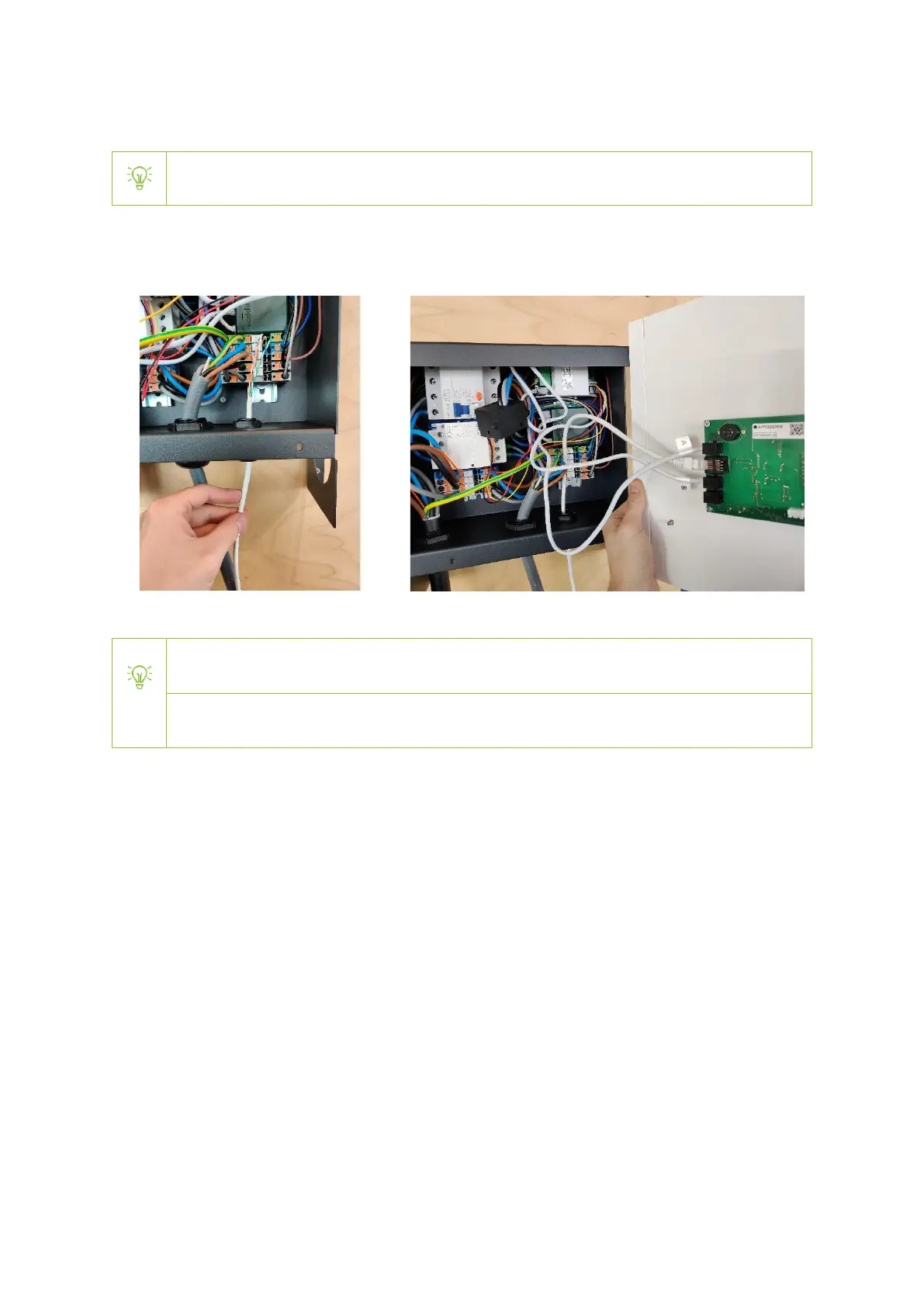
Make sure that the RCD switch is set to the ‘On’ position before closing the EV Wall
a. Mount the front plate into position by connecting the RJ10 cables and Cat 5/6 cable to the PCB
attached to the front plate. Pay attention to stickers and connect each cable to the
corresponding input.
Be careful to connect the RJ10 cables to their corresponding input. Do not connect a cable
marked ‘A’ to an input marked ‘B’ and vice-versa.
In case of a 3 x 230 V delta topology with transformer (see special notes on previous
page), only the B cable should be connected.

Other manuals for Smappee EV Wall