English – Version 1.2 – January 2021
Non-preconfigured Smappee Genius
IMPORTANT: The configuration procedure is different for preconfigured Smart
Charging kits than for Smappee Infinity products which were purchased
separately. If you have a preconfigured kit, you may skip this section.
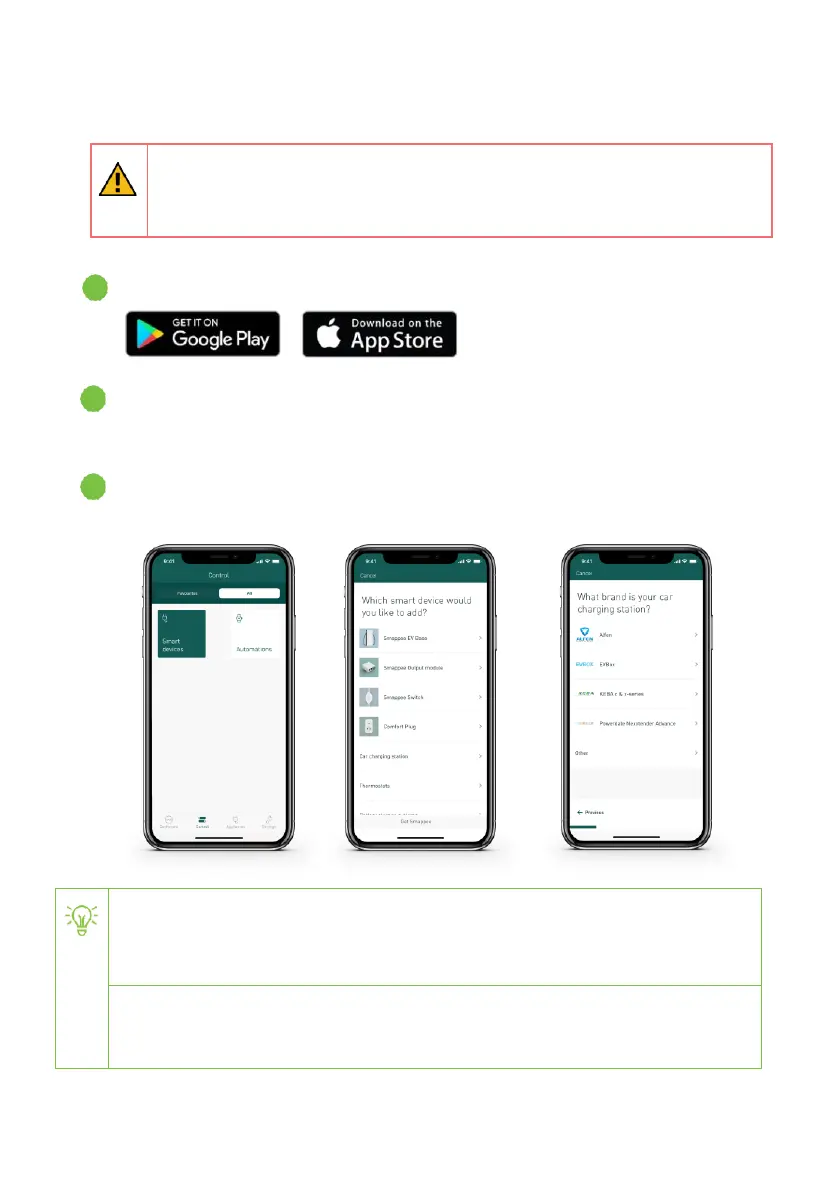
Download the Smappee Energy Monitor app onto your smartphone or tablet.
Follow the instructions in the Smappee Infinity installation manual to configure the loads
using the app.
Navigate to the ‘Control’ tab, then to ‘All’, ‘Smart devices’, ‘Add’, ‘Car charging station’,
‘EVBox’. Then follow the instructions shown in the app.
The maximum current that the car charging station can support is
dependent on the type of EVBox car charging station and your electrical
installation. See the EVBox installation manual for more information.
The default minimum current that an electric vehicle needs to start charging is 6 A.
Find the exact value in the manual of the electric vehicle.


 To Next Page