© 2008 SMART Technologies Inc. All rights reserved. SMART Board and the SMART logo are trademarks of SMART Technologies Inc. All other third-party product and company
names may be tradmarks of their respective owners. Printed in Canada 03/2008.
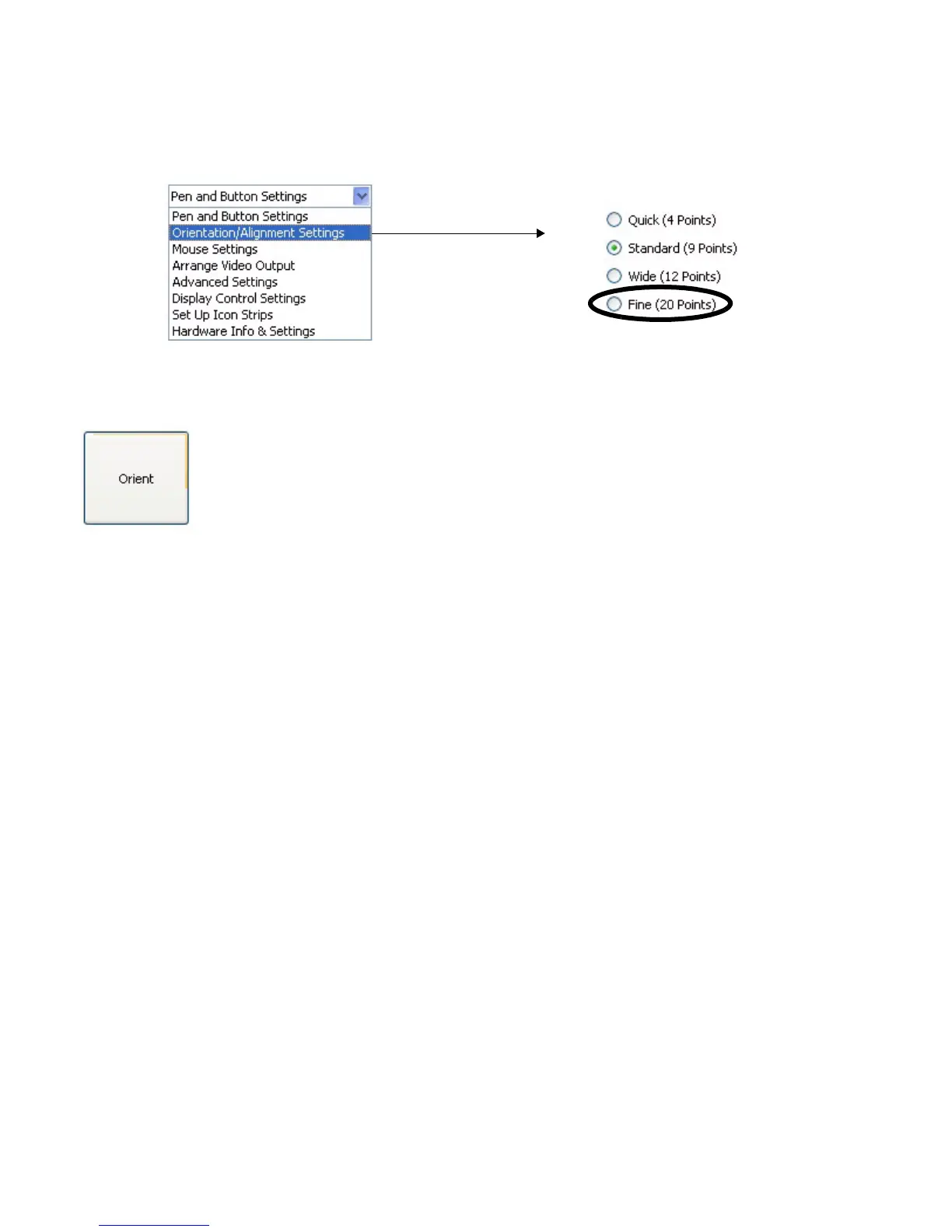
3 The SMART Hardware Settings window will open. Select Orientation/Alignment Settings from the drop-down menu.
4 Select Fine (20 Points) and press OK to apply the new orientation and alignment settings.
5 From the Control Panel window, press the Orient button to begin the orientation process.



 To Next Page