www.smartdigital.com.au
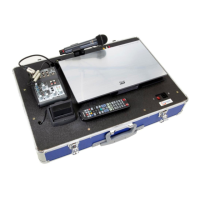
Edition 1.2
SMARTBOX PRECISION PACKAGE
SETUP GUIDE
PLACEMENT OF SMARTBOX
OPTIMUM PROJECTION DISTANCE
Please check which Optoma Projector you have been supplied in your package and refer to the distances
for your screen size using your projector. Measurements below are in Metres. If you have another type
of projector that what is listed below ask us for a throw distance chart to assist with your Smartbox
placement.
2.5m
HandiScreen
(2.1m Wide)
3m
HandiScreen
(2.6m Wide)
1. The Smartbox should be placed onto a stable table; approximately at the height where the
screen skirt and screen surface meet.
2. Adjust the projector using the feet to get the correct alignment of the image.
Note: If tilting the projector skews the image, use the Keystone function on the projector (in the menu
facility) to adjust the image to squarely fit your screen.
SPEAKER SETUP
Placement of speakers
1. The SmartSystem is supplied standard with two (2x) active speakers and
2. To ensure optimum quality, volume and stereo separation speakers are best placed one on each side of
the screen frame.
Connecting speakers to SmartBox
1. The SmartSystem is supplied standard with two (2x) 20metre Smart Digital speaker cables.
2. Connect the XLR end of one speaker cable to the “Line level balanced input” on the rear of the speaker
(see diagram)
3. Connect the JACK end of the speaker cable to the Speaker Output connectors on the mixer section of the
SmartBox (see diagram)
4. Turn the speakers on after the SmartBox has been turned on.
5. Connect power cable to mains power


 To Next Page