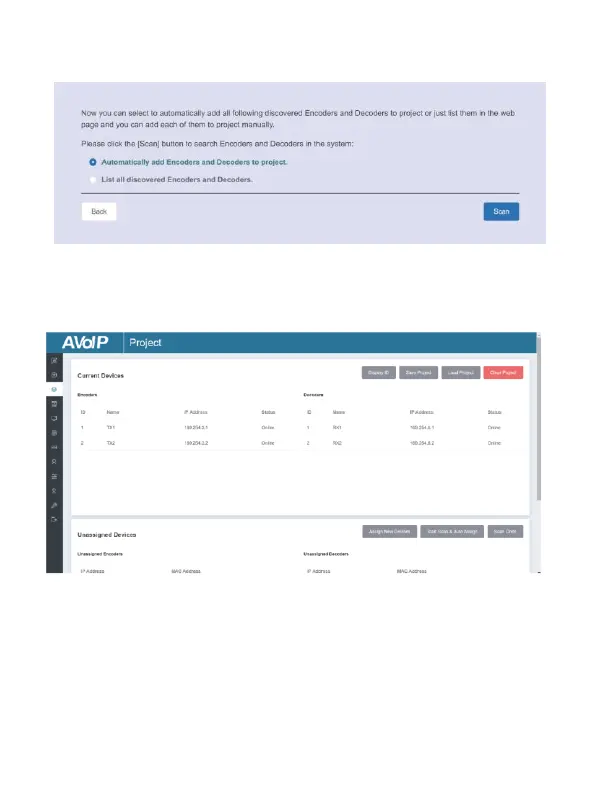
Step 4: Click the “Next” button and wait for the completion to enter
the interface as shown in the figure below.
▪ If you select “Automatically add Encoders and Decoders to project”,
and click the “Scan” button to enter the Project page. All the connected
devices will be listed in the Current Devices list.
Then click “Start Scan & Auto Assign” to stop search.
▪ If you select “List all discovered Encoders and Decoders”, and click
the “Scan” button to enter the Project page. All the connected devices
will be listed in the Unassigned Devices list.


 To Next Page