(6) Click “Assign New Devices” to search new devices automatically
and add to the current project.
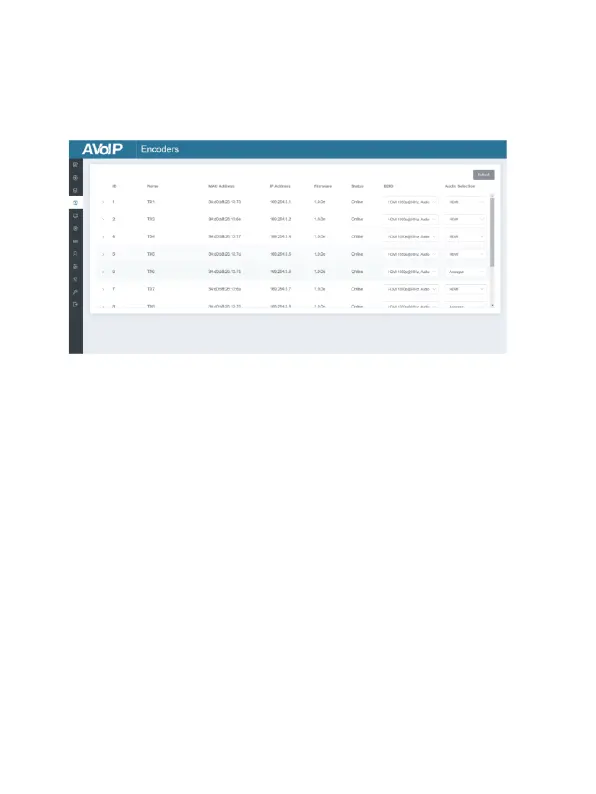
■ Encoders Page
① ID: The ID of the current device. (Note: ID is not duplicated.)
② Name: The name of the current device. (Note: Name is not
duplicated.)
③ MAC Address: The MAC Address of the current device.
④ IP Address: The IP Address of the current device.
⑤ Firmware: The Firmware version No. of the current device.
⑥ Status: The status (online or offline) of the current device.
⑦ EDID: The EDID of the current device.
⑧ Audio Selection: The Audio Selection of the current device.
Operating Instructions:
(1) Click “Refresh” to refresh the data of the current Encoders.
(2) Click the drop-down list of EDID to set the current Encoder’s EDID.
(3) Click the drop-down list of Audio Selection to set the current
Encoder’s audio output.
(4) Click the icon on the left of ID to check the detail information about
the current Encoder, as shown on next page:


 To Next Page