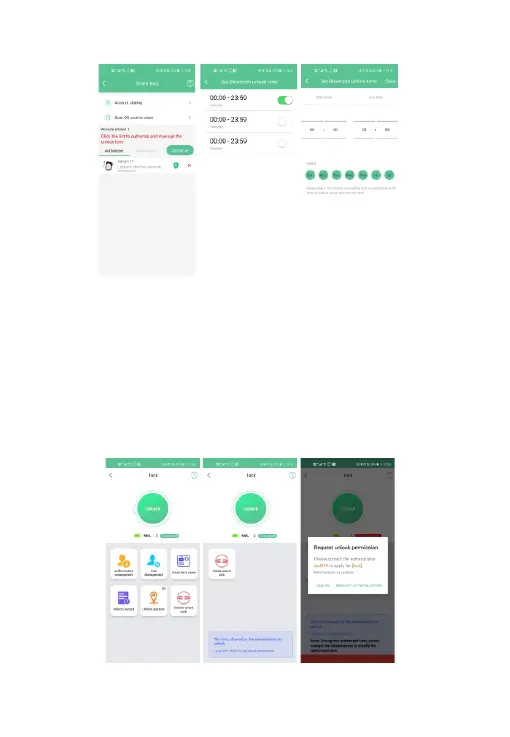
Fig. 10 Fig. 11 Fig. 12
6.1.7 Unlock Method
1. APP connect with smart lock: Please read "E. Connect smart lock” instruction.
2. Unlock by Admin account: Click the "Unlock" button to unlock the smart lock directly
(Fig. 10).
3. Unlock by authorized accountt:
<a> Click “Unlock" in permission period (Fig. 11).
<b> If it is not within the unlocking period, you need to request the administrator
account to authorize the time to unlock (Fig. 12).
4. Unlock by fingerprint: Press fingerprint sensor by the registered fingerprint.
( Please read "I. Fingerprint Management” instruction.)
Fig. 7 Fig. 8 Fig. 9
9


 To Next Page