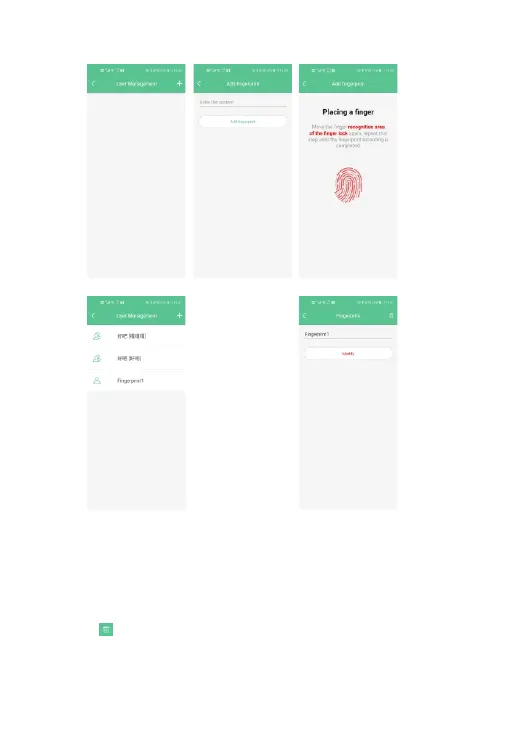
Fig. 16 Fig. 17
Fig. 18 Fig. 19
Fig. 15
6.1.11 Modify fingerprint
Enter to modify the fingerprint name (Fig. 19), after inputting the fingerprint name,
click "Modify", the modification is successful.
6.1.12 Delete fingerprint
1.The icon “ ” in the upper right corner deletes the fingerprint.
2. Delete user: Press and hold for 3 seconds /swipe left to delete the user.
11


 To Next Page