-16-
Power Save Mode
Power save mode allows the opener to go into a sleep
state when not in use. Not only does this save power but
it also greatly increases the life of back up batteries.
Note: When using auxiliary devices such as a photo
electric beam or external third party receiver and
transmitters power save must be disabled (off)
otherwise they will not receive power once the gate
has closed. (Factory Default = On).
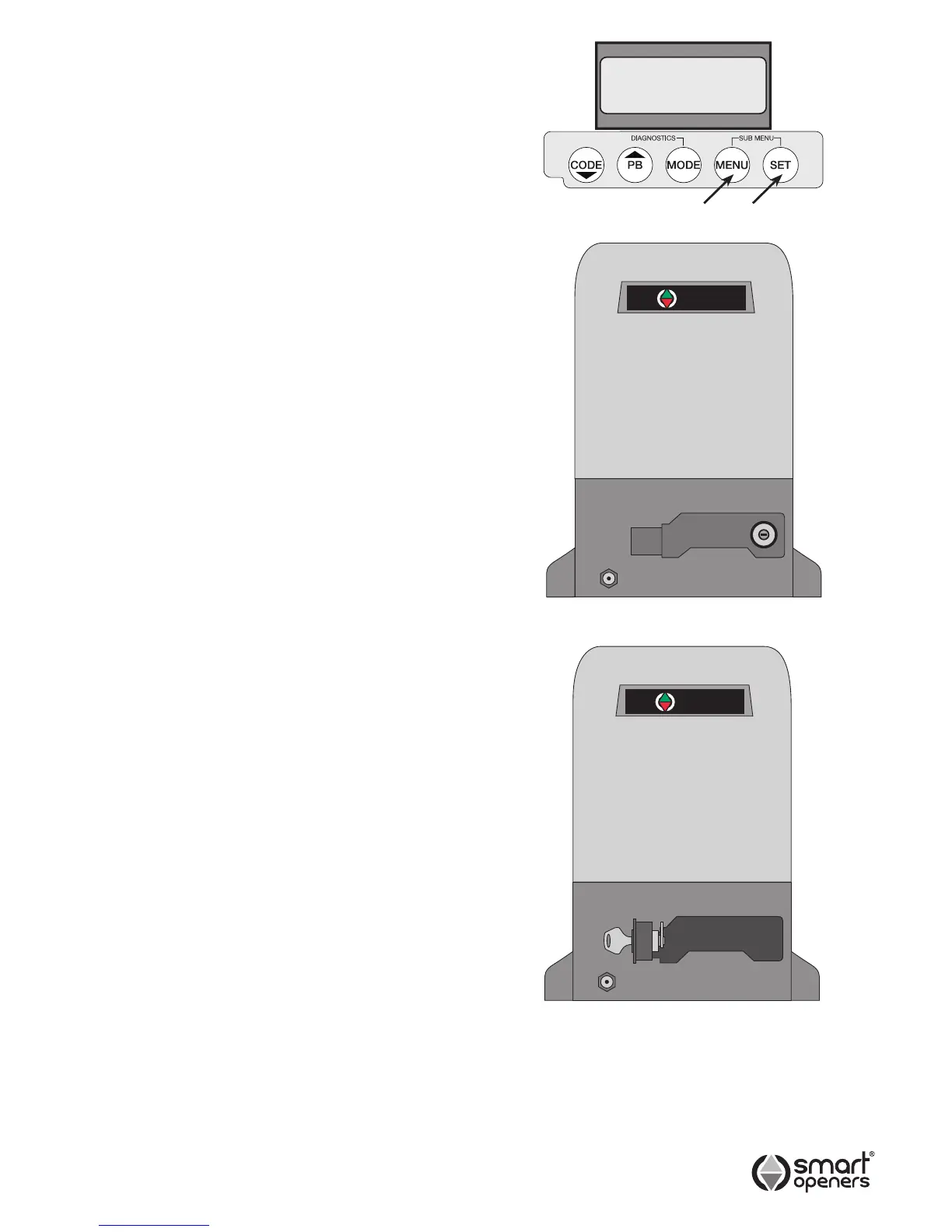
1. Press MENU for 3 secs then SET to cycle though to
Power Save.
2. Press MENU to choose Off.
3. Press SET to conrm or MODE to save and exit.
Manual Disengagement
The Smart Slider opener is equipped with a manual
disengagement device to enable you to open and close
the gate in case of electrical failure, system malfunction
or re.
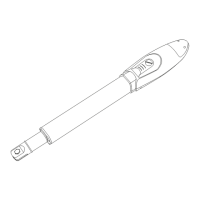
1. For Manual Operation
Use the key to unlock the manual release latch. Pull
the latch out to a 90° angle. If the latch feels hard
to move you may need to use your spare hand to
move the gate slightly to free the gearbox. Do not
use excessive force. If excessive force is used it may
result in damage to the disengagement mechanism.
Before disengaging the gate to manual operation
make sure power is off.
2. To Re-engage the Gate
Your Smart Slider is equipped with an automatic
re-engagement mechanism. Close the latch and lock
it into place the opener gearbox automatically re-
engages. The opener will automatically recognise the
gates position between the travel limits on the next
operation.
Important Information for
the User
Once the Smart Slider opener has been installed, the
user must be informed about how it works and all the
risks that can arise if it is used improperly. The user must
avoid placing him/herself in dangerous situations such as
standing within the gateway when it is moving.
Do not let children play near the gate and keep the
remote controls out of their reach.
All servicing, repairs or checks must be carried out
by professionally qualied personnel and noted on a
maintenance register kept by the user.
Information for the user is found in the USERS/OWNERS
MANUAL included with this opener.
IMPORTANT: Please make sure the USERS/OWNERS
MANUAL is passed on to the owner prior to leaving the
installation.
IMPORTANT: In case of a malfunction the user must call
an authorised Smart Openers Pty Ltd service technician
and should not attempt to repair the fault themselves.


 To Next Page