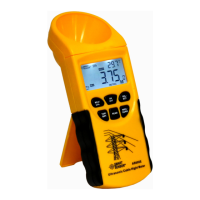
5). Hold level and steady the unit with two hands before Note:
chest part, press the
MEA-
SURE
key for 1~2 seconds the LCD It can be also put in the ground to make measurement, If
will show the symbol HOLD ,you can measure totally
6 cables height at one time, and measured data and such
as W1 W2 W3 W4 W5 W6. Press the SELECT
key you will read the measured data from W1to W6 in turn,
shown as following figure:
ground is neat, here your measured height is the distance
between the cable and the unit top,
shown as following figure:
Horizontal ground
-11- -12-


 To Previous Page