PAGE DOWN
Press to jump one page down or change EPG program list down
IEXIT
Press to exit the current menu.
RECALL
Press to jump to previous Channel.
PAUSE
Pauses to freeze the screen.
TXT
Displays TXT information broadcasting from DVB-T TV provider.
EPG
Electronic Program Guide button displays the TV/Radio program guide
broadcasting by DVB-T TV provider
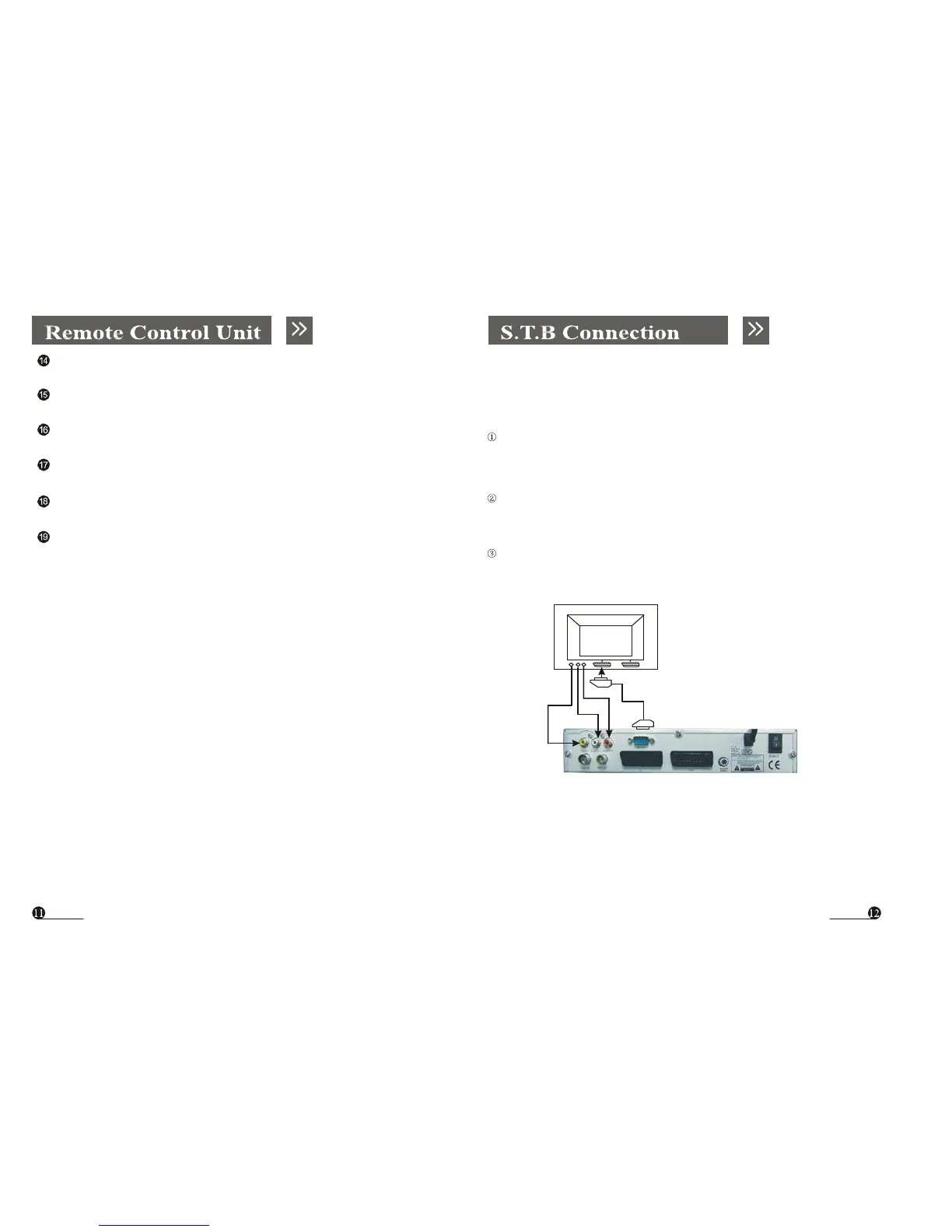
Various equipment and TV/VCR can be connected to STB.
This manual will explain common ways to connect to the equipment.
If you experience any problem, please contact your sales agency.
1. How to connect the STB to a TV set
Connect one end of the SCART cable to the TV SCART socket on the back of
the
STB and the other end to the SCART input socket on your TV.
Connect A/V RCAcable to A/V output on the STB, and the other end to A/V
input socket on your TV
Connect the antenna cable to the ANTENNAIN input connector of STB.
TV
STB



 To Next Page