Using your SMART Table with other SMART
products
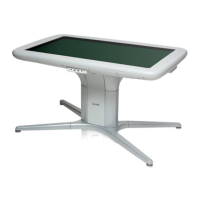
The SMART Table collaborative learning center complements several SMART products, including
SMART Board interactive whiteboards, SMART Sync software and SMART Document Cameras.
Youcan easily transfer files from your computerdirectly to the SMART Table using SMART Sync
software ora USB drive. You can connect a SMART Document Camera directly to the table,
enabling students to capture images in real-time and to explore them on the table’s surface.
There is an optional pow
er cabl
e (Part No. ST-DCC) that can be used to power the SMART
Document Camera from the table. This cable runs directly from the document camera to the table and
prevents tripping hazards. When this cable is connected, the table powers the document camera.
This cable is used in conjunction with the USB cable that ships with your SMART document camera,
which also runs directly from the document camera to the table.
Optional casters (Part No. ST-CSTR) are also available.
For more information on the cable, contact your authorized SMA
RT reselle
r orgo to
smarttech.com/where
.
CHAP T E R 1
Getting started
4


 To Next Page