SMART Table software includes interactive applications, learning activities and educational games.
Youcan also download any of theSMART Table activity packs available on the SMART Exchange™
website (exchange.smarttech.com
) directly to the table.
N OTE
Up to five activity packs can be downloaded at the sametime.
Using the SMART Table Toolkit you can download activity packs and applications andcustomize the
activities. Install and run the toolkit on your computer and then transfer your activity packs using a
USB drive or SMART Sync software.
Youcan use your table with other SMART products, including the SMART Document Camera™ and
SMART Notebook™ collaborative learning software, as part of an overall learning solution. For
example, you can introduce a new concept to students on a SMART Boar
d® interactive whiteboard,
and then ask the students to explore the idea in detail using the SMART Tablecollaborative learning
center.
How your SMART Table works
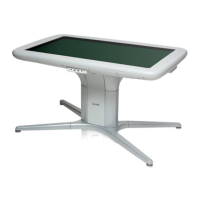
Your table contains four main components:
Computer
Tabletop with LCD
Speakers
Cameras
The computer runs the SMART Table software, theLCD displays the computer’s display in the
tabletop, thespeakers play the computer’s audio and the cameras detect students’ touch on the
surface. Combined, these components enable students to interact with SMART Table softwa
re.
The comput
er, speakers and cameras areinside the table.
Your table uses technology based on DViT® (Digital Vision Touch) technology to detect multiple
students’ touches. Other SMART products use DViT technology, including some SMART Board
interactive whiteboards, SMART Board interactive flat panels and SMART Podium™ interactive pen
displays.
CHAP T E R 1
Getting started
2


 To Next Page