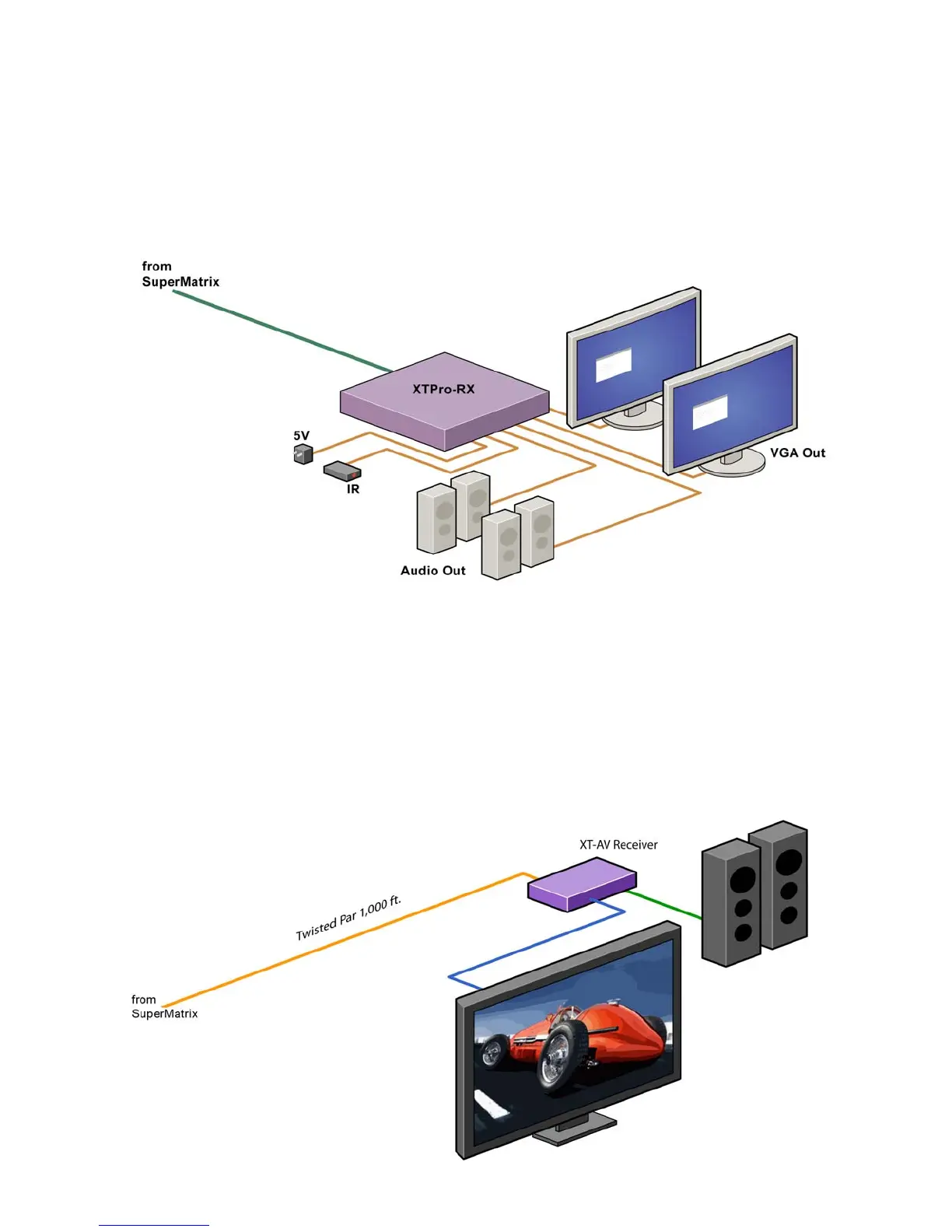
Connecting the Receiver: XTPro-RX
Connecting The Receiver
Connect CAT5 cable coming from the SuperMatrix to the back of the receiver.1.
Connect 1-2 display monitors to the VGA out connectors on the front of the receiver.2.
Connect 1-2 sets of external speakers to the audio output connections on the front of the 3.
unit. (Standard 3.5mm stereo Mini plug)
Connecting the Receiver: XTAV-RX
Connecting The Receiver
Connect CAT5 cable coming from the SuperMatrix to the back of the receiver.1.
Connect 1-2 display monitors to the VGA out connectors on the front of the re-2.
ceiver.
Connect 1-2 sets of external speakers to the audio output connections on the front 3.
of the unit. (Standard 3.5mm stereo Mini plug)
Chapter 2: Installation



 To Next Page