Chapter 5
Utility Software
Using FlashPath Status Monitor under
Microsoft
®
Windows
®
95/98/NT/2000
This section discusses the methods for using the
FlashPath Status Monitor and explains various mes-
sages the program displays.
To Start the Status Monitor Program:
1. The FlashPath Status Monitor is automatically
loaded at startup.
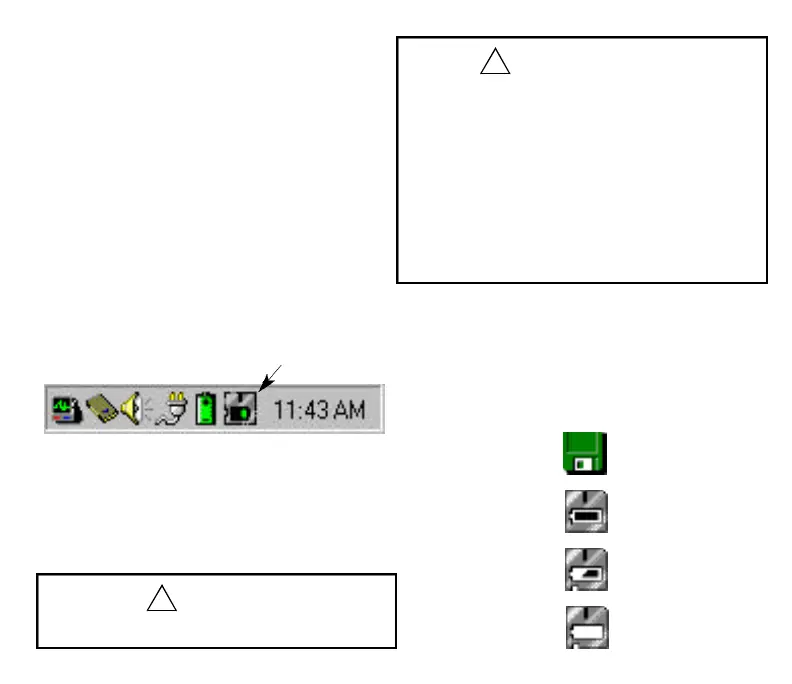
2. After starting the program, the Status Monitor
icon appears on the task bar in the lower
right corner of the screen.
3. To call up the Status window, click on the Status
Monitor icon.
14
Status Monitor
CAUTION
• While a DOS prompt is running, the Status
Monitor will not display the current status.
CAUTION
• Starting Windows
®
95/98/NT or Windows
®
2000
FlashPath does not function as a start-up disk. Be
sure to complete start-up of Windows
®
95/98/NT
or Windows
®
2000 before inserting FlashPath into
the floppy disk drive.
• Turning PC power on and off
Do not turn the power of your PC on and off or
reset it while FlashPath is in the floppy disk drive.
• Floppy disk drive utility software
Please note that some floppy disk drive utility
software commercially available may not be used
together with FlashPath.
Status Monitor Icon
An icon image is constantly displayed and shows
diskette mode (no FlashPath installed and/or
accessed) or FlashPath mode (and battery condi-
tion).
1. Note: Right click on the Status Monitor icon to
access the Help file.
Diskette Mode
Normal Operation
Low Battery
Battery Critical
FP SDC-OEM.QXP 1/13/00 9:38 AM Page 15



 To Next Page