04
26
COMMISSIONING
Commissioning, settings
Before commissioning for the first time,
the exact position and a possible deviation
for the south alignment must be updated
in the system. You can configure these
settings in the service mode.
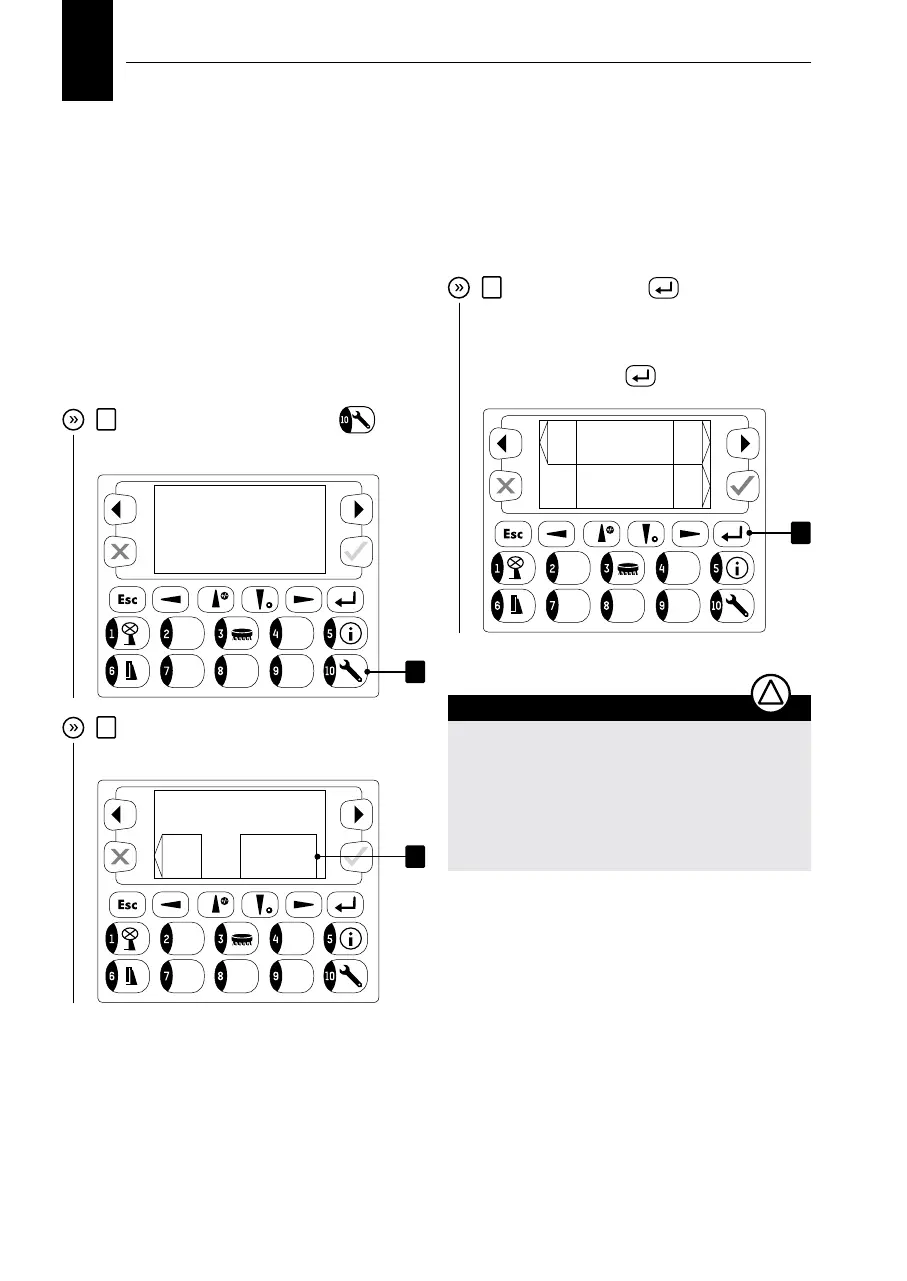
1
Press the “10 – service mode”
key to
access the service mode.
2
You will be directed to the password
screen.
3
Press the “confirm”
key; the pass-
word field will be highlighted. Now you can
enter the password using the keys (PWD:
7357491). For confirming the password,
press the “confirm”
key again.
NOTE
Use the “edit” key to select the edit mode in
the selected window to change the settings.
Depending on the setting option, you can
either enter a number (you can select special
characters using up/down keys) or select the
relevant option using up or down keys.
!
1
Service mode V:6.50
please enter
password
end password:
*********
2
ba
ck
Expert
Mode
Service
Mode
next
next
3


 To Next Page