04
28
COMMISSIONING
6
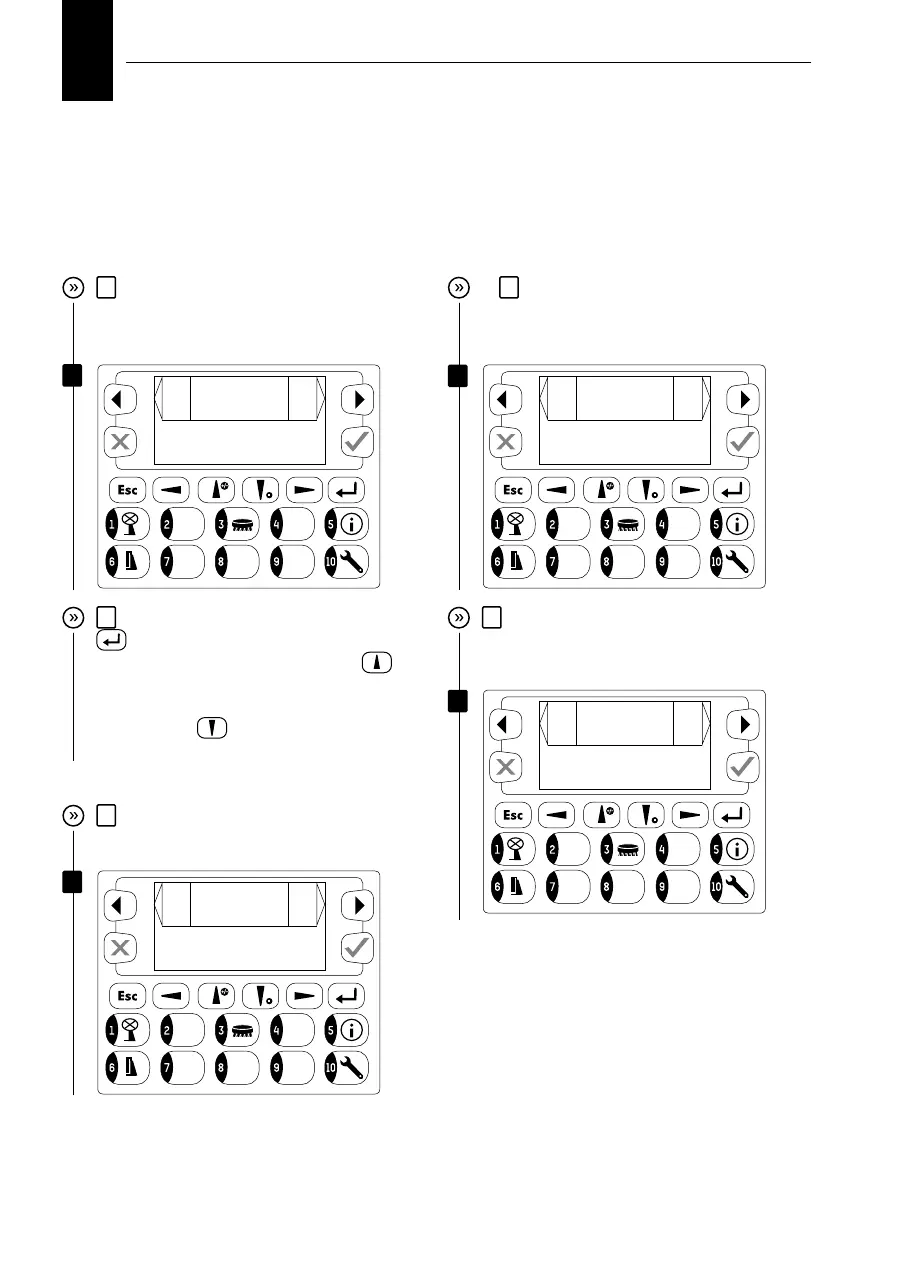
Activate the selection using the “confirm”
key and then enter “0”, “1”, “6” using cor-
responding keys. Use the “up arrow”
key
to enter a decimal point “.”; Then use corres-
ponding keys to enter “1”, “2”, “5” (use the
“down arrow”
key to enter negative co-
ordinates).
Commissioning, settings
5
In the next screen, you must enter the
correct longitude for optimum sun tracking.
Example: Pinkafeld – longitude 16.125
7
The next setting allows changing the
language.
8
The following screen allows to setup
the cleaning function frequency (daily, 1/
week, 1/month, never)
6
7
8
9
Select cleaning
function
ba
ck
Modus
daily
next
windspeed for SIPO 1
ba
ck
Wind SIPO 1
13.00
next
9
In the next screen you can adjust the limit
wind speed in which the system will move
into SIPO1 in m/s.
change longitude
ba
ck
degree
016.125
next
change language
ba
ck
language
EN
next


 To Next Page