3.3 Taking a Measurement
The monitor is designed to take measurements and store
the measurement values in the memory for 2 people
using USER ID 1 and USER ID 2.
1. Press the START/STOP button.
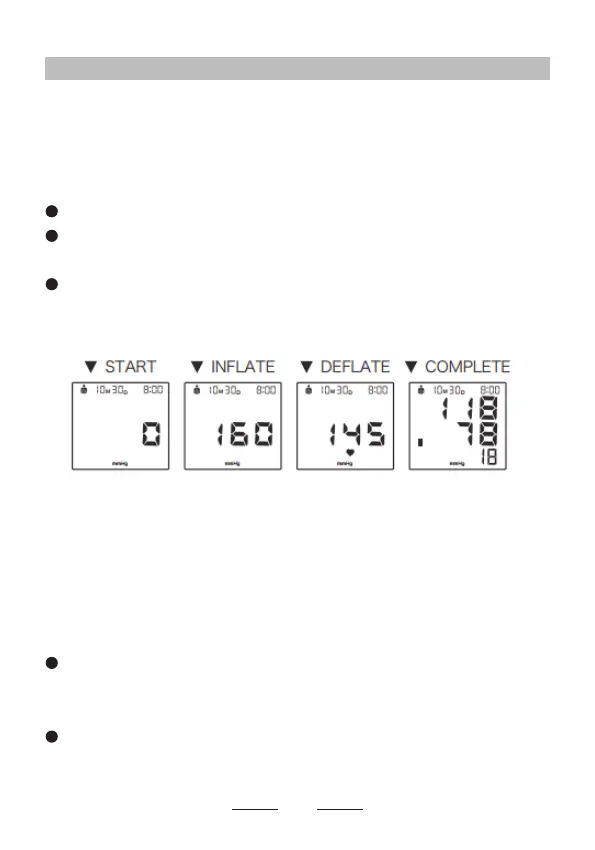
The arm cuff will start to inate automatically.
When the device detects the signal, the heart
symbol
♥
on the display starts to ash.
When the measurement has been completed, the
systolic, diastolic and pulse rate will appear on the
display.
2. Remove the arm cuff.
3. Press the START/STOP button to turn the monitor
off.
The monitor automatically stores the measurement result
in its memory. It will automatically turn off after 3 minutes.
Note:
Press the SET button to change the user, and then
press the START/STOP button to turn off the monitor.
When re-start measuring, the user will be changed.
Wait 2-3 minutes before taking another measurement.
Waiting between measurements allows the arteries to
return the condition prior to taking a measurement.
13


 To Next Page