EasyManua.ls Logo

Smartwares C794IP - User Manual

Smartwares C794IP
36 pages
Print Icon
To Next Page IconTo Next Page
Loading...
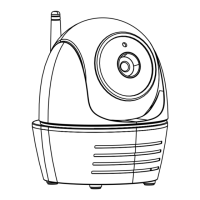
Wireless Pan/Tilt APP Camera
Installation and Operating Instructions
Model: C794IP
PLEASE READ THESE INSTRUCTIONS CAREFULLY BEFORE USING THIS PRODUCT
AND KEEP THIS MANUAL FOR FUTURE REFERENCE.

Questions and Answers

  • R
    Ryan PhillipsAug 16, 2025
    Why my Smartwares Digital Camera app can't find the camera?
    • S
      suzannemosleyAug 16, 2025
      If the Smartwares Digital Camera app can't find the camera, ensure that your network supports the DHCP protocol. Verify that the camera and your mobile device are connected to the same Wi-Fi router during the initial setup. Also, confirm that the Wi-Fi router is activated and the camera is properly powered on. If the issue persists, use the “ADD CAMERA” function to manually add the camera within the app.
  • P
    Patrick Hudson MDAug 18, 2025
    What to do if no image appears on Smartwares Digital Camera?
    • M
      Mr. Steven SingletonAug 19, 2025
      If no image appears on your Smartwares Digital Camera, first check that the power adapter is not damaged or defective and is properly plugged into a working electrical outlet. Then, try relocating the camera to improve the reception of wireless signals. Also, ensure that the camera is correctly configured in the app and that your mobile device has a stable 3G/4G/Wi-Fi connection.
  • C
    Christopher BrownAug 21, 2025
    How to fix Smartwares Digital Camera app if it can't record video clips?
    • R
      robinsonalexandraAug 21, 2025
      If the Smartwares Digital Camera app is unable to record video clips, verify that the SD card is correctly inserted. Ensure that the motion detection function is enabled. If it's the first time using the SD card, format it. Also, confirm that you are using a Class 10 rated memory card.
  • H
    Hannah KerrAug 25, 2025
    Why is my Wi-Fi router not shown in the drop down list for Smartwares Digital Camera?
    • J
      Jason FloresAug 26, 2025
      If your Wi-Fi router isn't showing up in the drop-down list, make sure the SSID broadcasting function is enabled on your Wi-Fi router. Also, change the wireless security protocol of your Wi-Fi router to WPA/WPA2/WPA2-PSK.
  • J
    Jared Lewis DVMAug 27, 2025
    Why is motion detection not working or over-reacting on my Smartwares Digital Camera?
    • B
      Brandi DouglasAug 27, 2025
      If the motion detection on your Smartwares Digital Camera is not working or is over-reacting, ensure that the sensitivity setting is turned ON. In motion detection mode, a moving object within the camera's viewing angle is required to trigger the motion sensor for recording.
  • D
    Dana SandersAug 30, 2025
    How to fix email alerts not working on Smartwares Digital Camera?
    • M
      Megan HillAug 30, 2025
      If email alerts are not working on your Smartwares Digital Camera, first ensure that the email alert function is enabled. It is suggested to use a Gmail account for the email alert function. Also, verify that the email address has been entered correctly.
  • M
    Mark MarksSep 2, 2025
    How to improve low wireless signal and poor image quality on Smartwares Digital Camera?
    • S
      Stephen MccoySep 3, 2025
      To improve low wireless signal and poor image quality on your Smartwares Digital Camera, leave as much space as possible between the camera/mobile device and other wireless devices, as these can reduce the signal strength. Additionally, clean the camera lens using a lens cleaning cloth.
  • M
    Mary WillisSep 5, 2025
    How to resolve memory card error on Smartwares Digital Camera?
    • R
      Richard JonesSep 5, 2025
      To resolve a memory card error on your Smartwares Digital Camera, ensure that the memory card is correctly inserted and formatted. For best results, use the memory card provided within the package. Also, make sure you are using a Class 10 rated memory card.
  • C
    cookvictorSep 8, 2025
    How to correct wrong date and time shown on Smartwares Digital Camera?
    • T
      tracyjacksonSep 8, 2025
      If the wrong date and time are displayed on your Smartwares Digital Camera, make sure you’ve selected the correct time zone. Confirm the system date/time of the mobile device to ensure correct operation. Also, ensure that the system is properly connected to the internet.
  • H
    Hannah AlvarezSep 12, 2025
    Why are bright white spots appearing at night on my Smartwares Digital Camera?
    • D
      danielrandallSep 12, 2025
      If bright white spots appear at night on your Smartwares Digital Camera, try installing the camera on the other side of windows or place the lens flush against the surface to improve night vision. It is also suggested to install the camera(s) under a well-lit area.

Smartwares C794IP Specifications

General IconGeneral
BrandSmartwares
ModelC794IP
CategoryDigital Camera
LanguageEnglish

Related product manuals