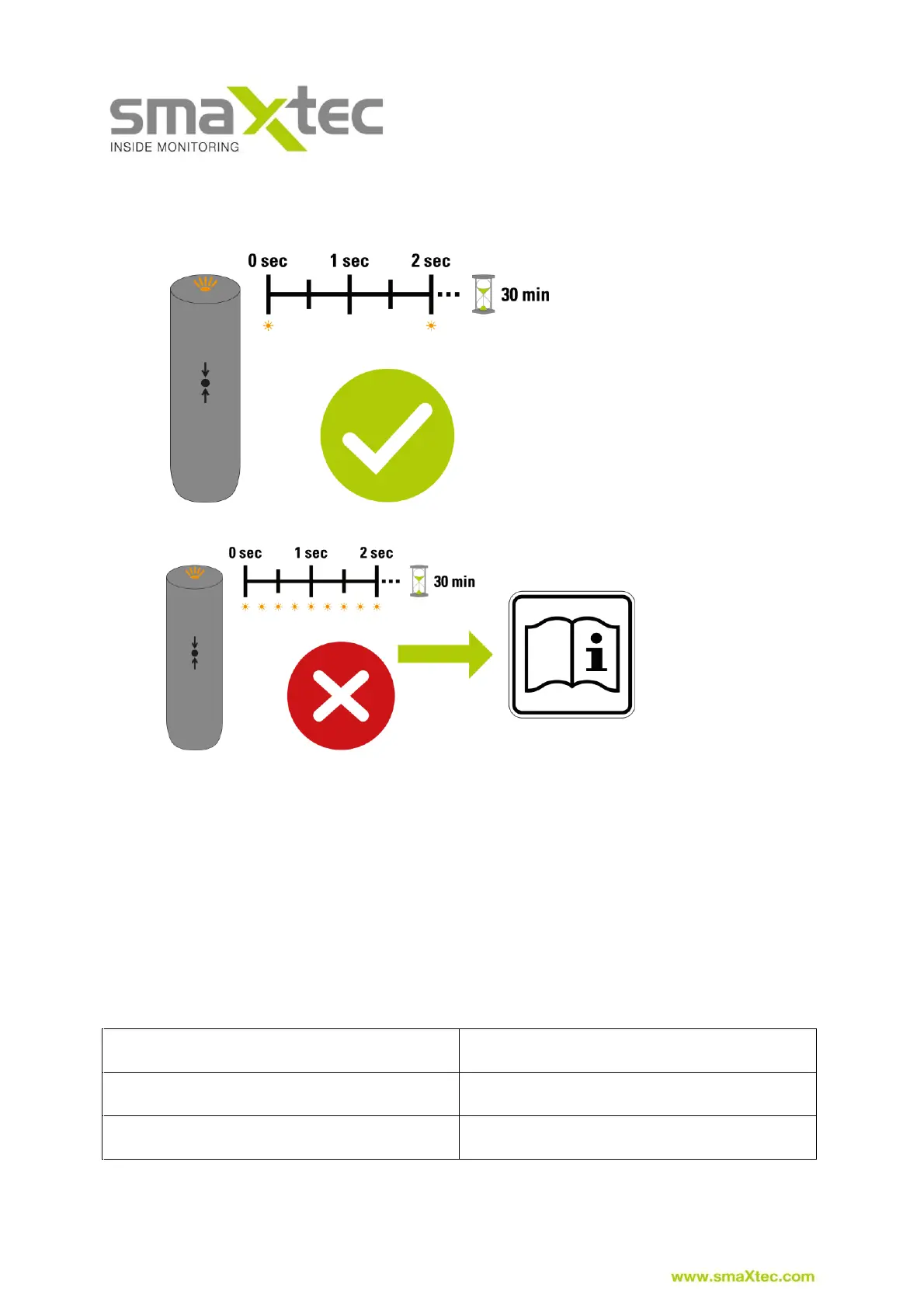
2) Initialisation of the smaXtec Classic Bolus is carried out automatically. If
initialisation has been successfully completed the LED lights up every two
seconds for a period of 30 minutes.
3)
If initialisation fails, the LED flashes very rapidly (every 100 milliseconds) for a
period of 30 minutes. If this is the case, please contact customer support.
4) After successful initialisation, the smaXtec Classic Bolus can be inserted using
the smaXtec Sensor Applicator. Following selection of a suitable animal, the
animal identification details should be entered in the list provided next to the
serial number of the smaXtec Classic Boluses.
5) Activation in smaXtec Messenger by clicking on the + symbol on the right of
the menu option “Animals”: activation of sensors is required to ensure the
sensor is correctly assigned to an organisation in smaXtec Messenger.
6) After successful installation of the read-out device the measurement data from
the smaXtec pH Plus Bolus can be accessed in smaXtec Messenger within
approximately 30 minutes.
Overview of the different LED displays



 To Next Page