4.1.2. First steps – smaXtec pH Plus Bolus
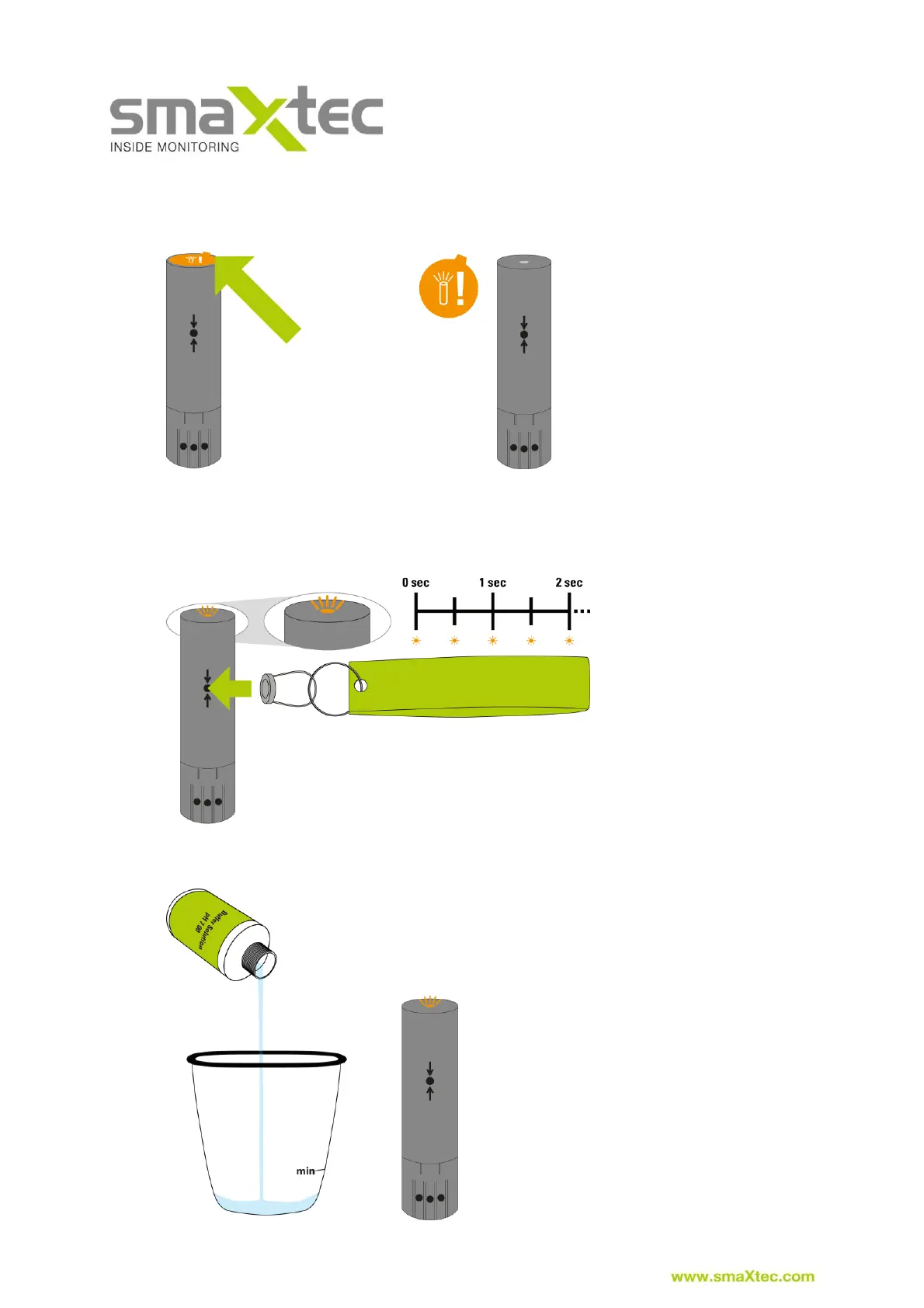
1) First, remove the label from the bottom of the smaXtec pH Plus Bolus.
Next, activate the Sensor using the magnets provided (with the smaXtec Base
Station). If the smaXtec pH Plus Bolus has been successfully activated, the
LED on the bottom of the smaXtec pH Plus Bolus flashes briefly every 0.5
seconds. Please note the correct positioning of the magnets as indicated in
the image below.
2) Pour the buffer solution pH 7.00 into a narrow container (please note minimum
filling level) and remove the sponge from the sensor tip.



 To Next Page