Configuring Client TCP/IP
17
Manual IP Configuration (for all Windows OS)
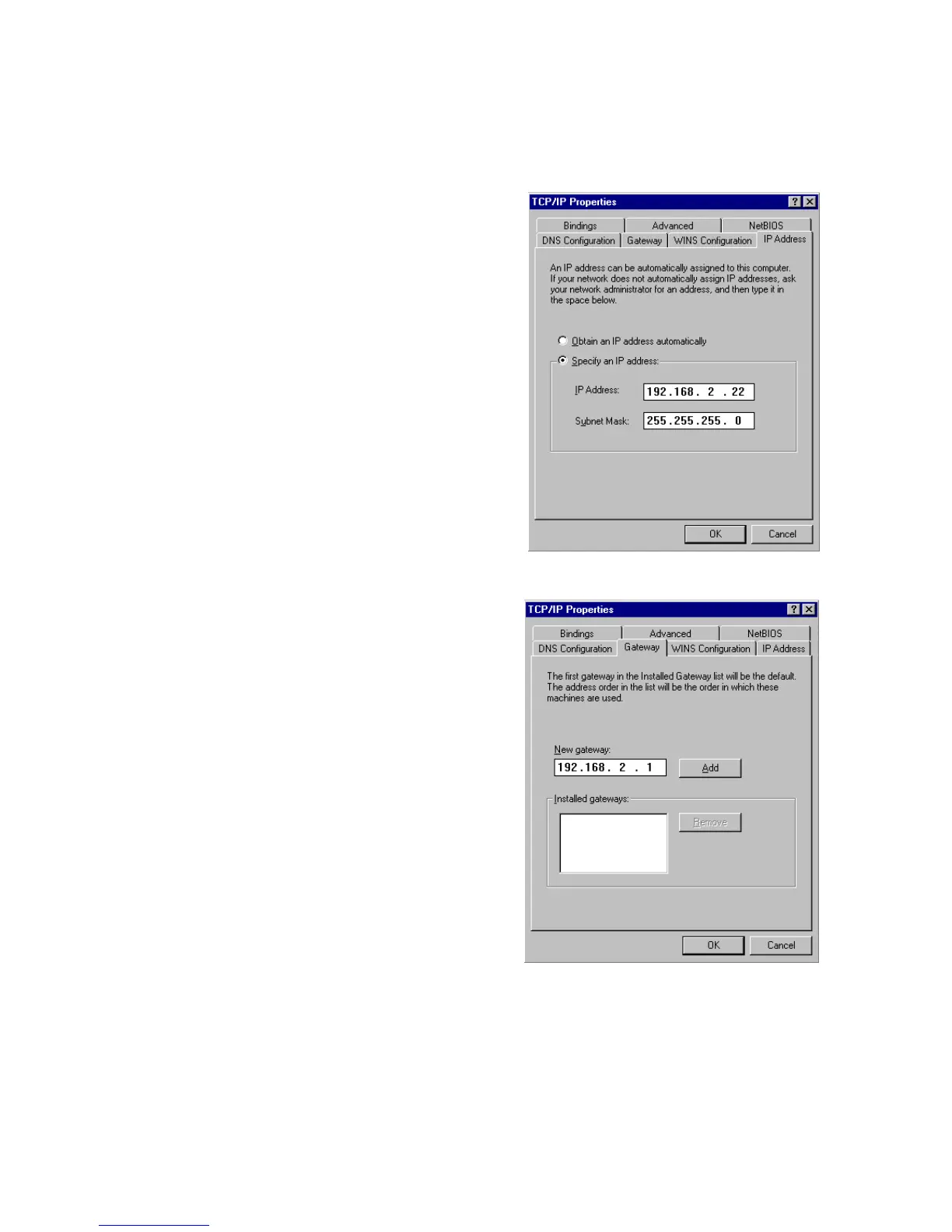
1. Check Specify an IP
address on the IP Address
tab. Enter an IP address
based on the default
network 192.168.2.x (where
x is
between 2 and 254), and
use 255.255.255.0 for the
subnet mask.
2. In the Gateway tab, add the
IP address of the Wireless
Barricade
(default:
192.168.2.1)
in the New
gateway field and click Add.


 To Next Page
 Loading...