User instructions
17
PROGRAM SELECTION
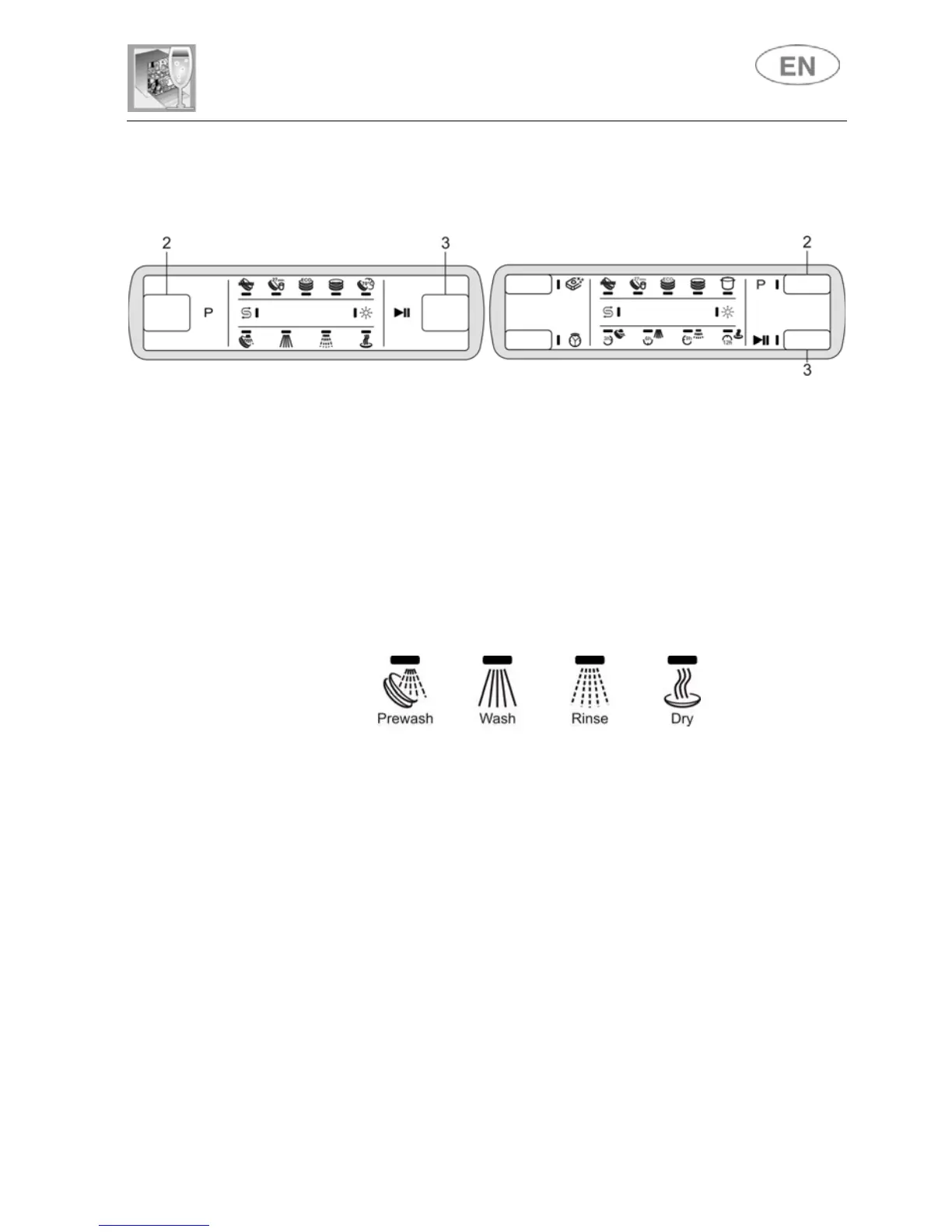
Press the PROGRAM SELECTION button (2) several times until the light
of the program required comes on.
STARTING THE PROGRAM
To start the dishwasher, press the START/PAUSE button (3) for a few
seconds, until the light of the first phase of the selected program starts to
flash (confirmation beep).
As the program runs, the PHASES/PROGRAM lights (5) will indicate the
current cycle status.
The light of the phase in progress will flash, while the lights of the
subsequent phases remain on.
N.B. during execution of programs which do not include a prewash, the
first PHASES/PROGRAM light (5) will remain off.
END OF PROGRAM
When the program finishes, a buzzer sounds briefly and all the
PHASES/PROGRAM lights (5) flash.


 To Next Page