Instructions for the user
14
3.3 Electronic programmer
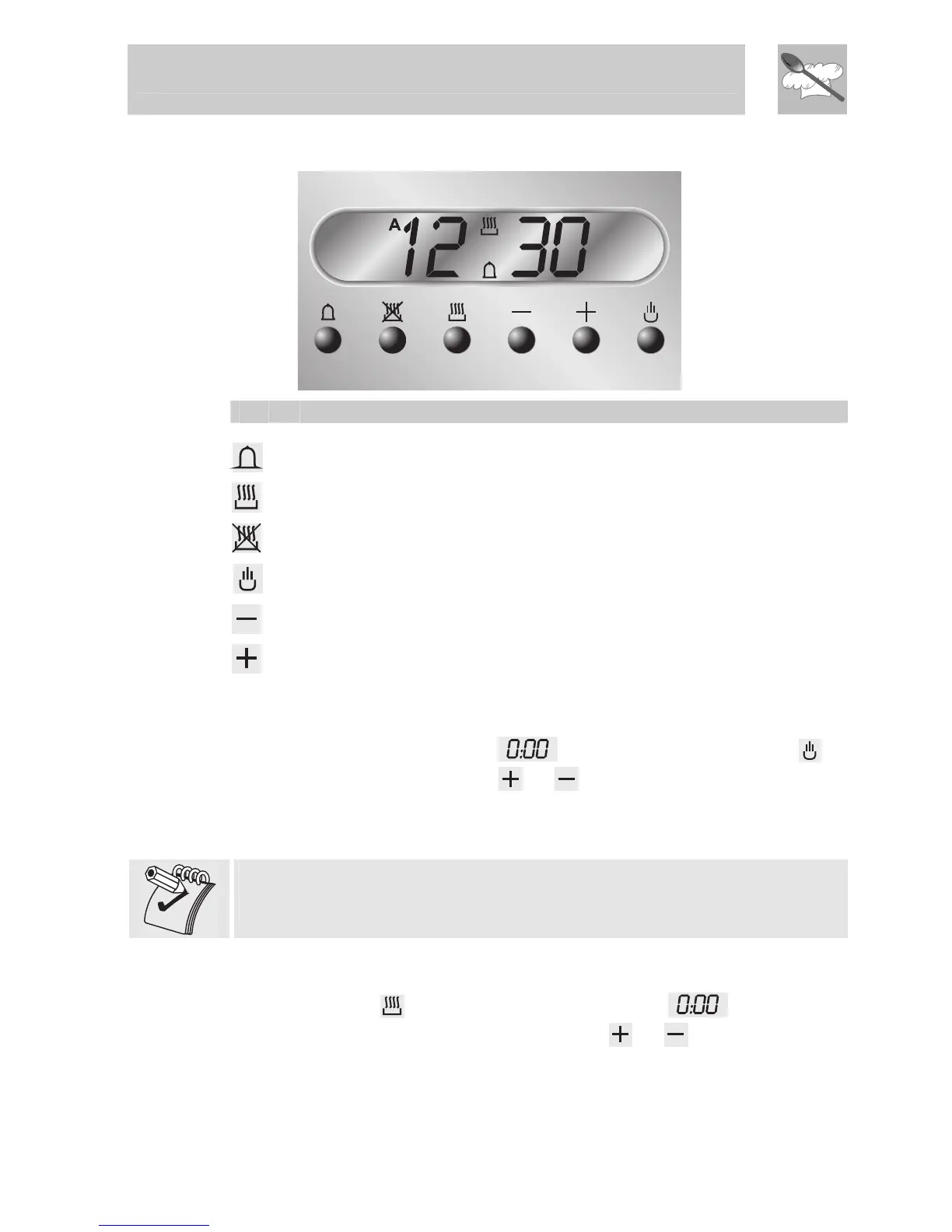
LIST OF FUNCTIONS
TIMER KEY
COOKING DURATION KEY
END OF COOKING KEY
MANUAL OPERATION KEY
VALUE DECREASE KEY
VALUE INCREASE KEY
3.3.1 Clock adjustment
When using the oven for the first time, or after a power failure, the display
flashes regularly and indicates
. To stop flashing, press key on
the display. By pressing keys
or each single press changes the
time by 1 minute either up or down.
Press one of the two keys until the right time appears.
Before setting the programmer activate the desired function and
temperature.
3.3.2 Semi-automatic cooking
Use this setting for automatic oven switch-off at the end of cooking time.
By pressing key
, the display lights up, showing ; keep the key
pressed and at the same time, press keys
or to set the cooking
time.


 To Next Page