30
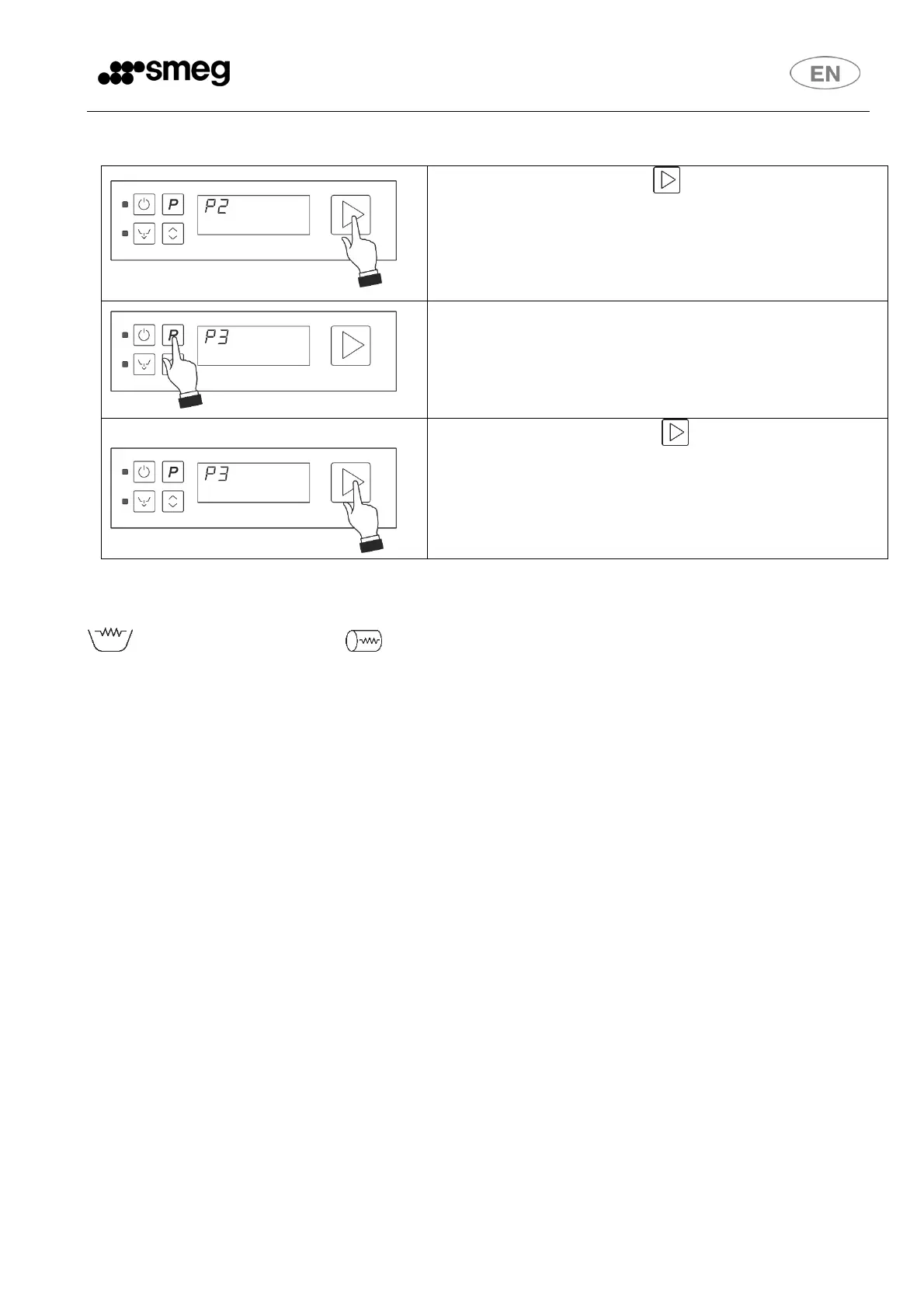
9.4 Program change
With program started, press and hold it down to
interrupt it.
Change the program by pressing
Confirm the program start by pressing and hold it
down for 1 second (light L2 turns blue again).
N.B.:
During heating of the water in the boiler and tank with the cycle running, the tank heating element
and boiler heating element symbols may appear on the display.
Tank heating does not start until heating of the boiler is completed.
Filter presence sensor (on some models only)
The filter is fitted with a sensor which checks that it is properly fitted; if it is not in the correct
position, the word “FiLTER” appears on the display.


 To Next Page