
EasyManua.ls Logo

Smiths Medical BCI SPECTRO2 20 - User Manual

Smiths Medical BCI SPECTRO2 20
83 pages
Print Icon
To Next Page IconTo Next Page
Loading...
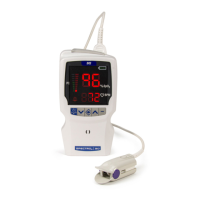
BCI SPECTRO2 10
Handheld
PulseOx Manual
Get an original copy of the BCI SPECTRO2 10 Handheld
PulseOx Manual for manufacturer information about service,
available accessories and how to use and maintain your
device.

Table of Contents

Questions and Answers

  • L
    laurasmithSep 3, 2025
    Why is the External Power indicator X not lit (AC Power) on Smiths Medical Equipment?
    • S
      sheltontammySep 4, 2025
      If the External Power indicator X is not lit (AC Power) on your Smiths Medical Equipment, ensure the AC power supply cord is properly connected to both the monitor and the accessory cable. Also, make sure the AC power cord is connected to a working outlet not controlled by a wall switch. If the problem persists, contact your authorized service representative.
  • J
    Jeremy EllisonSep 18, 2025
    Why is real time data not transmitted from my Smiths Medical Equipment?
    • S
      Shannon HarveySep 18, 2025
      If real-time or trend data is not being transmitted from your Smiths Medical Equipment, it may be due to a defective accessory cable, improper seating of the oximeter in the Docking Station, or incorrect communication setup. Remove the oximeter from the Docking Station and replace it, ensuring proper alignment. Check the user-connected auxiliary equipment and software. If the problem persists, contact your authorized service representative.
  • A
    Andrew CrossSep 16, 2025
    What does the malfunction indicator mean on the Smiths Medical Equipment printer?
    • L
      Leslie JamesSep 16, 2025
      If the '?' malfunction indicator is lit on your Smiths Medical Equipment printer, it could indicate a printer interface malfunction, an open printer door, or that the printer is out of paper. Close the printer door and install a roll of printer paper. If the problem persists, contact your authorized service representative.
  • M
    Michael BryanSep 14, 2025
    How to fix no printout on Smiths Medical Equipment printer?
    • K
      Kelly JohnsonSep 14, 2025
      If there is no printout on your optional Smiths Medical Equipment printer, ensure AC power is connected to the Docking Station and that there are trends in memory. Also, check if there is paper loaded correctly. Take trend data.
  • M
    Michelle WilliamsSep 12, 2025
    Why is the USB Power indicator not lit on my Smiths Medical Equipment docking station?
    • A
      Alexis PorterSep 13, 2025
      If the USB Power indicator is not lit on your Smiths Medical Equipment docking station, it is proper operation when AC Power is connected. However, if AC Power is not connected, check all cable connections and confirm that the PC, USB hub, or other source of USB power is working correctly.
  • G
    gtranSep 12, 2025
    Why is battery life so short on my Smiths Medical Equipment?
    • M
      Mason MitchellSep 12, 2025
      If the battery run time is excessively short on a fully charged battery in your Smiths Medical Equipment, the Li-Ion rechargeable battery pack likely needs to be replaced. Contact your authorized service representative.
  • A
    Aaron StricklandSep 9, 2025
    What to do if Smiths Medical Equipment displays 27 ERR?
    • S
      Stephanie AcostaSep 9, 2025
      If your Smiths Medical Equipment monitor displays '27 ERR' when powered up, it indicates a defective battery. Disconnect and reconnect the AC power cord. If the error message persists, the battery is defective. Contact your authorized service representative.
  • A
    Alyssa KimSep 7, 2025
    What does sr ERR mean on Smiths Medical Equipment display?
    • M
      Melissa CrawfordSep 7, 2025
      If your Smiths Medical Equipment displays 'sr ERR', it means that no sensor is attached to the oximeter, or the sensor/patient cable is defective. Attach a sensor to the oximeter. If the problem persists, try a new sensor. If the issue still continues, contact your authorized service representative.
  • L
    Lori AnthonySep 5, 2025
    What does RA ERR mean on Smiths Medical Equipment display?
    • J
      Jerry CarterSep 5, 2025
      If your Smiths Medical Equipment displays 'RA ERR', it indicates proper operation. The WW1020 and WW1000 models are not intended for use with a remote alarm cable.
  • M
    Martin RamosAug 20, 2025
    Why is my Smiths Medical Equipment oximeter turning off unexpectedly?
    • V
      valerie26Aug 20, 2025
      Your Smiths Medical Equipment oximeter may be turning off unexpectedly because the batteries are weak or dead, and it is not connected to an AC power source. To resolve this, replace or recharge the batteries, or connect the device to an AC power source.

Summary

Warranty and Service Information

Warranty Terms

Details on limited warranty, conditions, and remedies for product defects.

Warranty Procedure

Steps to follow for obtaining warranty service and returning the product.

Introduction

Warnings

Important safety precautions and warnings for operating the pulse oximeter.

Cautions

Advisories regarding proper use and handling to prevent damage or issues.

Intended Use and Monitor Features

Intended Use for the WW1020 Oximeter

Specifies the applications and patient population for the WW1020 model.

Intended Use for the WW1000 Oximeter

Specifies the applications and patient population for the WW1000 model.

Monitor Features

Highlights key functionalities and design aspects of the pulse oximeter.

Controls and Features

Operating Instructions

Powering the Oximeter

Explains how to supply power to the oximeter using batteries or external sources.

Installing the Batteries

Provides instructions for installing standard AA or rechargeable Li-Ion battery packs.

External Power

Covers safety precautions and guidelines for using external power sources.

AC Power

Explains how to connect the oximeter using the AC power supply.

USB Power (Universal Serial Bus)

Details powering the oximeter via USB connection and its implications for battery charging.

Attaching the Sensor to the Patient

Provides guidance on correctly attaching the oximetry sensor to the patient.

Choosing the Sensor

Chart and guidance for selecting the appropriate oximetry sensor based on patient and site.

Cleaning or Disinfecting the Sensors

Procedures for cleaning and disinfecting reusable oximetry sensors.

Optional Docking Station and Printer

PC Communication Setup

Maintenance

Routine Maintenance

Daily and periodic tasks to ensure optimal performance and safety of the oximeter.

Cleaning and Disinfecting

Procedures for cleaning and disinfecting the oximeter, docking station, and printer.

Troubleshooting

Power Issues

Addresses problems related to the oximeter not turning on or losing power.

Sensor Issues

Troubleshooting steps for issues with pulse signal, rate, and SpO2 readings.

Printer and Communication Errors

Resolves issues with printer output, data transmission, and display error messages.

Optional Supplies and Accessories

Specifications

SpO2 for the WW1020 Oximeter

Technical specifications and accuracy data for SpO2 measurements on the WW1020 model.

Pulse Rate for the WW1020 Oximeter

Technical specifications and accuracy data for pulse rate measurements on the WW1020 model.

SpO2 for the WW1000 Oximeter

Technical specifications and accuracy data for SpO2 measurements on the WW1000 model.

Pulse Rate for the WW1000 Oximeter

Technical specifications and accuracy data for pulse rate measurements on the WW1000 model.

Power Requirements

Information on battery types, usage time, and charging.

Guidance and Manufacturers Declaration

Smiths Medical BCI SPECTRO2 20 Specifications

General IconGeneral
SpO2 Range0 - 100%
Measurement ParametersSpO2, Pulse Rate, SpHb, PI, PVI
PVI Range0 - 100%
SpHb Range0-25 g/dL
Storage Temperature-20°C to 60°C
Display TypeColor TFT-LCD
Humidity10-95% non-condensing

Related product manuals