EasyManua.ls Logo

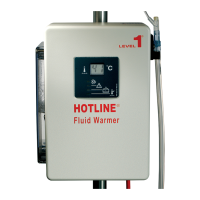
Smiths Medical HOTLINE HL-90 - User Manual

Smiths Medical HOTLINE HL-90
50 pages
Print Icon
To Next Page IconTo Next Page
Loading...
OPERATOR’S MANUAL
PN 4534005-GB Rev D
HOTLINE
Blood and Fluid Warmer
HL-90
®

Table of Contents

Questions and Answers

  • A
    Alexander HansonAug 12, 2025
    What to do if the HOTLINE® Medical Equipment cabinet is hot?
    • A
      alice34Aug 12, 2025
      If the HOTLINE® Warmer cabinet is hot, it could be due to a room temperature above 42°C. In this case, turn the power switch OFF and allow the HOTLINE® Warmer to cool down before returning it to service. Another possible cause is blocked air vents. Check for blocked air vents on the bottom or the back of the HOTLINE® Warmer.
  • C
    Clarence RuizAug 16, 2025
    What to do if I receive or transmit electrical interference with Smiths Medical HOTLINE® Warmer?
    • Q
      qmoonAug 16, 2025
      If you are experiencing electrical interference with the HOTLINE® Warmer, try moving the HOTLINE® Warmer away from the device in question. Also, try plugging the HOTLINE® Warmer into a separate electrical circuit.
  • R
    Rhonda GonzalesAug 20, 2025
    What to do if the Smiths Medical HOTLINE® Medical Equipment shows an Over Temperature alarm?
    • V
      Valerie SanchezAug 20, 2025
      If the HOTLINE® Warmer displays an Over Temperature alarm, first check the HOTLINE® Fluid Warming Set for kinks or other restrictions. Also check for air lock: Turn the power switch OFF, remove the HOTLINE® Fluid Warming Set, and gently shake HOTLINE® Warmer to dislodge air. Plug in the HOTLINE® Fluid Warming Set and turn power switch ON. If there are no restrictions or air present, remove the HOTLINE® Warmer from service and return it for repair or replacement.
  • N
    nicole22Aug 23, 2025
    What to do if Smiths Medical HOTLINE® Medical Equipment has no power?
    • L
      Lauren EdwardsAug 25, 2025
      First, confirm that the HOTLINE® Warmer is plugged in properly. Second, confirm that the power switch is in the ON position.
  • P
    Pam WeeksAug 27, 2025
    What to do if Smiths Medical HOTLINE® Medical Equipment shows Check Disposables alarm?
    • J
      James SchneiderAug 27, 2025
      If the HOTLINE® Warmer displays a Check Disposables alarm, confirm that the HOTLINE® Fluid Warming Set is properly installed. Also, push the Twin-Tube Connector firmly into the socket on the right side of the HOTLINE® Warmer.
  • J
    Jonathan CummingsAug 31, 2025
    What to do if the Smiths Medical HOTLINE® Medical Equipment shows Add Recirculating Solution alarm?
    • J
      Jane MooreAug 31, 2025
      If the HOTLINE® Warmer displays an Add Recirculating Solution alarm, check the level in the reservoir and add recirculating solution to the maximum level.
  • M
    Maria WangSep 4, 2025
    Why is it difficult to install the HOTLINE® Fluid Warming Set on Smiths Medical Medical Equipment?
    • R
      Ronnie HorneSep 4, 2025
      If you find it difficult to install the HOTLINE® Fluid Warming Set, lubricate O-rings in the socket.
  • D
    Danielle Sanchez DDSSep 8, 2025
    What to do if recirculating solution leaks at the socket of my Smiths Medical HOTLINE® Warmer?
    • J
      Jennifer HaynesSep 8, 2025
      If recirculating solution leaks at the socket, replace O-rings. Use the O-ring Replacement Kit: P/N 80-04-001.

Summary

General Information

About this Manual

Indications and Conventions

Defines intended use, conventions, and warnings for the manual.

Important Safety Information

Key Safety Warnings and Cautions

Details critical contraindications, warnings, and cautions for safe device operation.

Assembly Instructions

Step-by-Step Assembly Procedures

Covers unpacking, mounting, disinfecting, filling, and electrical safety testing.

Device Description

Components Overview

Lists and describes the main components and parts of the HOTLINE® Warmer.

Device Operation

Controls, Displays, and Modes

Overview of controls, displays, and different operational modes of the HOTLINE® Warmer.

Troubleshooting

Testing Procedures

Alarm and Electrical Safety Tests

Procedures for testing device alarms, temperature accuracy, and electrical safety.

Maintenance Procedures

Routine Maintenance Tasks

Details daily, monthly, and annual maintenance tasks for the device.

Limited Warranty Information

Service and Support

Service and Contact Information

Procedures for obtaining service and contact details for technical support and distributors.

Specifications and Accessories

System Technical Specifications

Details system compliance, dimensions, environmental, electrical, and performance specifications.

About this Manual

Indications for Use

Defines the intended use of the HOTLINE® Blood and Fluid Warmer for warming blood and IV fluids.

Conventions Used in this Manual

Explains symbols, terms, and formatting conventions used throughout the manual.

Device Description

Components Overview

Lists and describes the main components and parts of the HOTLINE® Warmer, with illustrations.

Front View Components

Identifies and describes the components visible on the front of the HOTLINE® Warmer.

Device Description

Side and Rear View Components

Identifies and describes components visible on the right, left, and rear sides of the HOTLINE® Warmer.

HOTLINE Fluid Warming Set

Important Safety Information

Contraindications

Lists conditions where the device should not be used to avoid harm.

General Warnings

Critical warnings detailing potential risks of death or serious injury if instructions are not followed.

Important Safety Information

Specific Operational Warnings

Further critical warnings regarding aseptic technique, fluid path integrity, and device operation.

Important Safety Information

Electrical and Mounting Cautions

Cautions regarding power cord safety, servicing, mounting height, and ventilation.

Important Safety Information

Accessory Safety (L-10 Gas Vent)

Specific warnings and cautions related to the L-10 Gas Vent accessory.

Assembly Instructions

Unpacking and Mounting

Instructions for unpacking the warmer and securely attaching it to an I.V. pole, including cautions.

Assembly Instructions

Disinfecting the Reservoir

Procedure for disinfecting the internal reservoir of the HOTLINE® Warmer using a peroxide solution.

Assembly Instructions

Filling the Reservoir

Steps for filling the reservoir with the appropriate recirculating solution, including protocols and warnings.

Assembly Instructions

Performing Electrical Safety Tests

Instructions on performing essential electrical safety tests on the device before use.

Principle of Operation

Infusate Delivery Temperatures

Details the expected temperatures of the fluid delivered to the patient under various conditions.

Device Operation

Controls and Displays Overview

Overview of the device's controls, buttons, and the main display panel.

Display Panel Details

Detailed description of the information presented on the device's display, including LEDs.

Device Operation

Power and Alarm Test Panel

Explanation of the panel containing power controls and alarm testing buttons.

Reservoir Level Display

Information on how to check the level of recirculating solution using visual indicators.

Device Operation

Modes of Operation

Description of the different operational modes of the HOTLINE® Warmer.

OFF and ON;Operating Modes

How the device operates when in the OFF or ON/operational modes, indicated by LEDs.

Check Disposables Mode

Explanation of the mode indicating issues with disposable parts, featuring red LED and alarm.

Device Operation

Add Solution and Over Temperature Modes

Indicates modes for adding solution or when the temperature exceeds safe limits, showing LED and alarm status.

Operating Instructions

Warmer and Warming Set Setup

Initial setup procedures for the HOTLINE® Warmer unit and the fluid warming set.

Warnings for Setup

Critical warnings about aseptic technique and the single-use nature of the warming set during setup.

Operating Instructions

Setting Up the Fluid Warming Set

Detailed steps for connecting and preparing the HOTLINE® Fluid Warming Set, including important warnings.

Operating Instructions

Connecting the IV Set and Using the Warmer

How to connect the IV set, use the warmer, and adjust flow rates, including warnings.

Operating Instructions

After Use Procedures and Storage

Procedures to follow after device use, including warnings about biohazards and storage guidelines.

Troubleshooting Common Issues

Power, Disposables, and Solution Alarms

Troubleshooting steps for common alarms like no power, check disposables, and add solution.

Over Temperature and Hot Cabinet Issues

Steps to address over-temperature alarms and issues related to the device overheating.

Troubleshooting Common Issues

Leaks and Electrical Interference

Troubleshooting steps for resolving leaks at the socket and issues caused by electrical interference.

Testing Procedures

General Testing Warning

General warning about not using the device if indicators or alarms fail during testing.

Alarm Signal Test

Tests the functionality of the device's audible and visual alarms by activating them.

Testing Procedures

Over Temperature and Add Solution Tests

Verifies over-temperature protection and the low solution alarm system.

Check Disposables Test

Verifies the correct installation of the disposable warming set by simulating its removal.

Testing Procedures

Temperature Verification

Procedure to confirm the accuracy of the recirculating solution temperature display using a specific thermometer.

Testing Procedures

Periodic Electrical Testing

Details the requirements for periodic electrical safety testing, including leakage current and ground bond.

Testing Procedures

Leakage Current Test

Specifics on performing and evaluating leakage current tests according to industry standards.

Ground Bond Test

Procedure for conducting the ground bond electrical safety test according to industry standards.

Maintenance Procedures

Cautions and Routine Cleaning

Cautions regarding device cleaning and general inspection after each use.

Exterior Cleaning and Inspection

Instructions for cleaning the external surfaces and performing a visual inspection of the device.

Maintenance Procedures

Disinfect Reservoir and Change Solution

Procedure for disinfecting the reservoir and replacing the recirculating solution based on usage schedule.

Maintenance Procedures

Reservoir Disinfection and Refilling

Detailed steps for disinfecting the reservoir and refilling it with recirculating solution.

30-Day Maintenance

Maintenance tasks scheduled for every 30 days, referencing the disinfection procedure.

Maintenance Procedures

O-Ring Lubrication and Replacement

Instructions for lubricating and replacing O-rings in the warming set socket.

12-Month Maintenance and Testing

Maintenance tasks for 12 months and guidance on testing warmer operation.

Maintenance Procedures

Maintenance Log and Checklist

A checklist and log for recording routine maintenance tasks and their frequency.

Limited Warranty Information

Warranty Coverage and Parties

Defines warranty period, coverage, and parties covered by the manufacturer's warranty.

Warranty Performance Procedure

Outlines the steps to follow when making a warranty claim or returning the device for service.

Limited Warranty Information

Warranty Conditions and Limitations

Lists conditions that void the warranty and details limitations and exclusions to coverage.

Service and Support

Warranty and Non-Warranty Service

Procedures for obtaining warranty and non-warranty repair services.

Additional Documentation and Contacts

Information on documentation available and contact details for service representatives.

Service and Support

Disposal Information and Service Contacts

Guidelines for proper device disposal and contact information for service in different regions.

Specifications and Accessories

System Specifications Overview

Details system compliance, dimensions, environmental, electrical, and performance specifications.

Specifications and Accessories

Electrical and Performance Specs

Information on electrical protection, operation type, current, and performance metrics like temperature and flow rates.

Electromagnetic Compliance

Certification of compliance with European EMC directives and testing standards.

Specifications and Accessories

EMC Recommendations and Accessories List

Guidelines for RF interference and a list of compatible accessories with their descriptions.

Device Symbols and Definitions

Operational Symbols

Visual symbols related to device operation, power, modes, and reservoir levels with their definitions.

Device Symbols and Definitions

Identification and General Symbols

Definitions for symbols like IPX1, REF, SN, PN, LOT, EC REP, and electrical/safety symbols.

Device Symbols and Definitions

Specialized and Safety Symbols

Definitions for symbols related to latex, medical prescription, class type, sterilization, and packaging.

Smiths Medical HOTLINE HL-90 Specifications

General IconGeneral
BrandSmiths Medical
ModelHOTLINE HL-90
CategoryMedical Equipment
LanguageEnglish

Related product manuals