
 Need help?
Do you have a question about the Smiths Medical Surgivet Advisor and is the answer not in the manual?
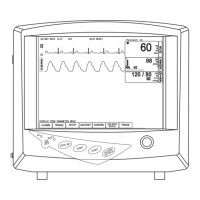
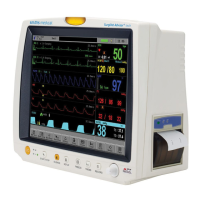
Details the controls and indicators on the front panel of the monitor.
Identifies the ports and connectors available on the left side.
Describes the optional printer and related elements on the right side.
Details the various input/output ports located on the rear of the device.
Steps for inserting the battery and connecting to a main power source.
Guidance on connecting required sensors and turning the monitor on.
Configuring display modes and selecting desired waveforms for monitoring.
Steps to initiate a new patient record and input demographic information.
Adjusting individual parameters like ECG, Sweep Speed, and Color for patient needs.
Configuration options for SpO2 alarms, ETCO2 units, and apnea delay.
Settings for NIBP alarms, pressure units, patient type, and inflation mode.
Deleting patient records and viewing trends over time.
Configuring alarm priorities and performing drug calculations.
Performing hemodynamic calculations and managing printer output.
Resolving issues with blood pressure readings and NIBP parameter display.
 General
| Category | Veterinary Monitor |
|---|---|
| Model | Surgivet Advisor |
| Manufacturer | Smiths Medical |
| Display Type | Color LCD |
| Parameters Monitored | ECG, SpO2, NIBP, Temperature, Respiration |
| Power Supply | 100-240V AC, 50/60 Hz |
| Connectivity | USB |



 To Next Page