Frequently Asked Questions
7
Q1: How do I format my new hard drive and check my hard drive
information?
A:
From the home screen of your monitor, right click the mouse, navigate to System
setup > General setup > HDD Setup, select Format and click Format > click OK.
From this screen you can also turn off the overwrite function and check your hard drive
Status.
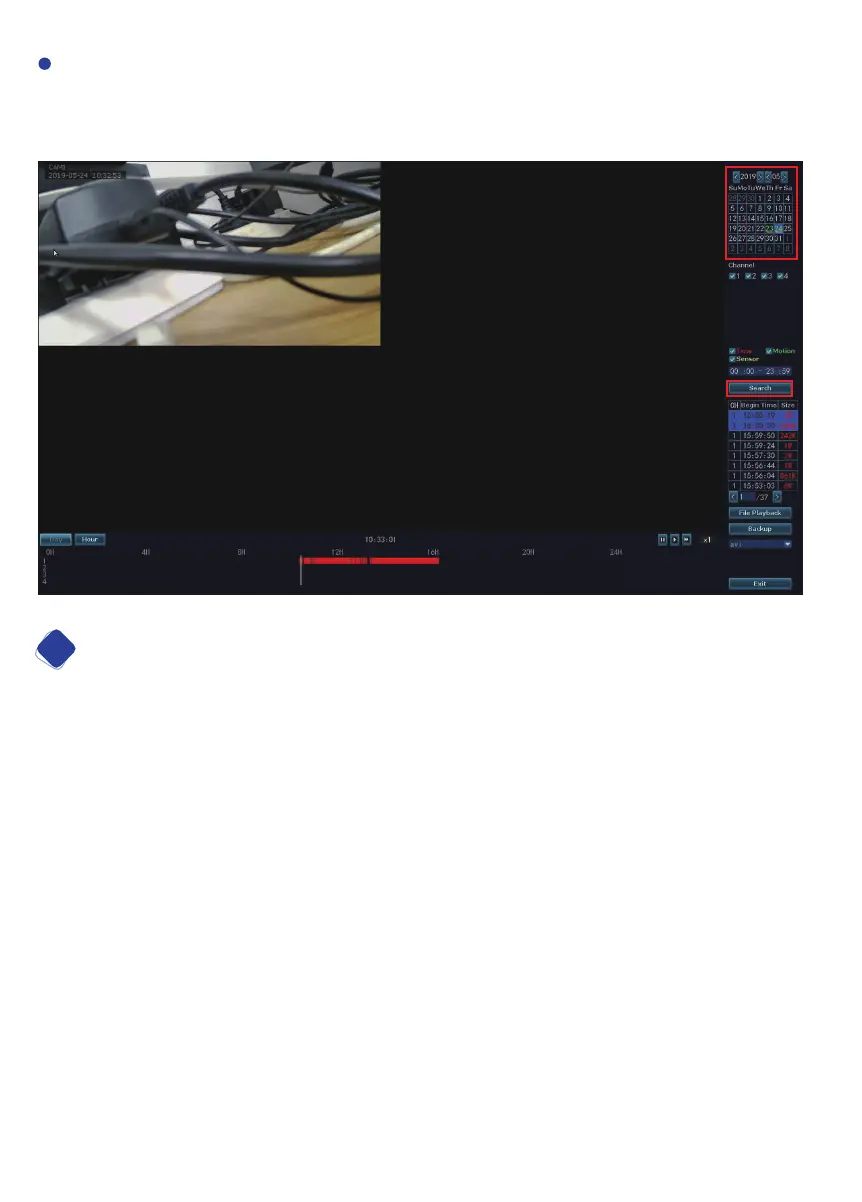
At right bar, please select a date, channel, record type, specific time, click Search,
you’ll see colorful timeline show up at bottom of your screen, recorded video will start
to playback.
15


 To Next Page