Playback Video
6
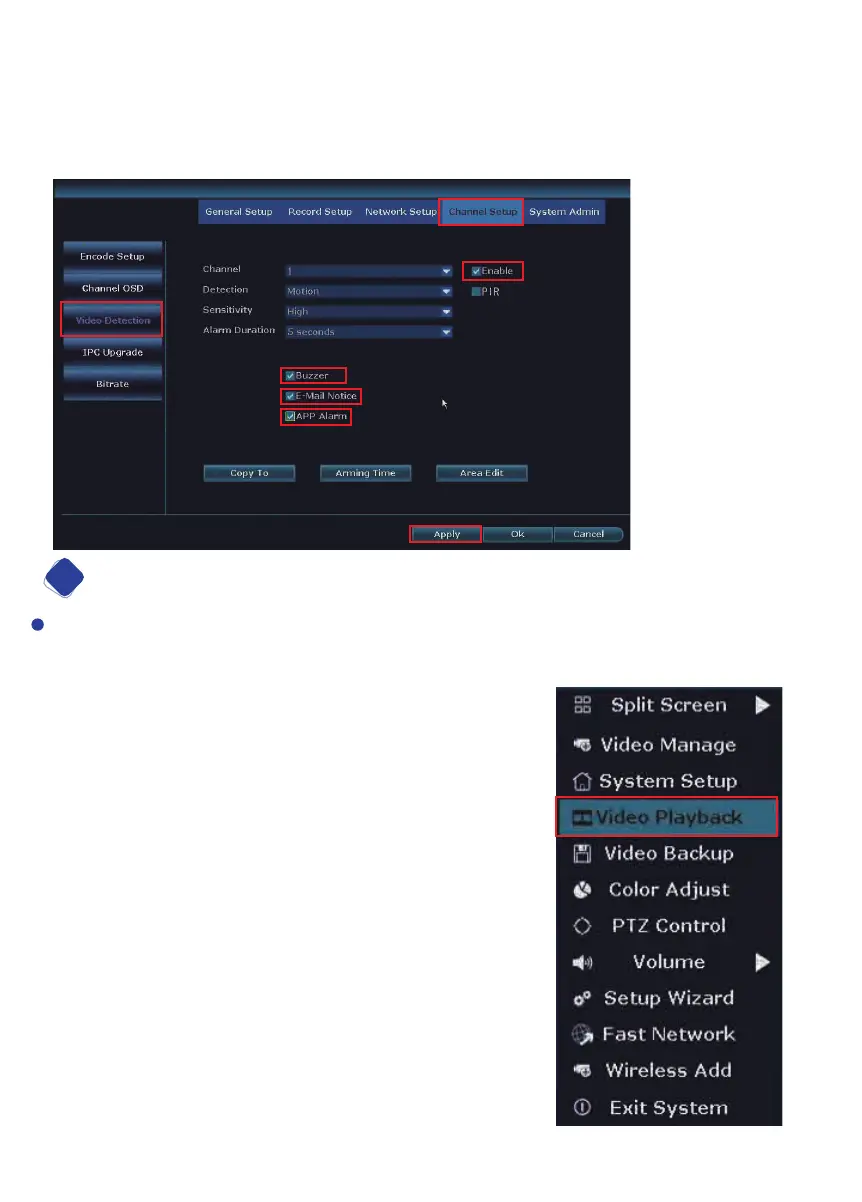
Step7: After setting area, please right click your mouse, choose Return get back to
Video Detection page. Please click Apply to save the setting.
Step8: You can simply click Copy to, copy the motion detection setting to other
channels, and adjust area setting for each cameras one by one.
To use the playback feature, you must first set up the recording function as described
in the section above. To playback, from the home screen of your monitor, right click
and navigate to ‘Video playback’.
14


 To Next Page