Record Video
5
NOTE: Recording and playback requires a hard drive installed and shipped with the
system or installed in the NVR by the user.
Recording - There are two types of recording – Scheduled Recording and Motion
Activated Recording.
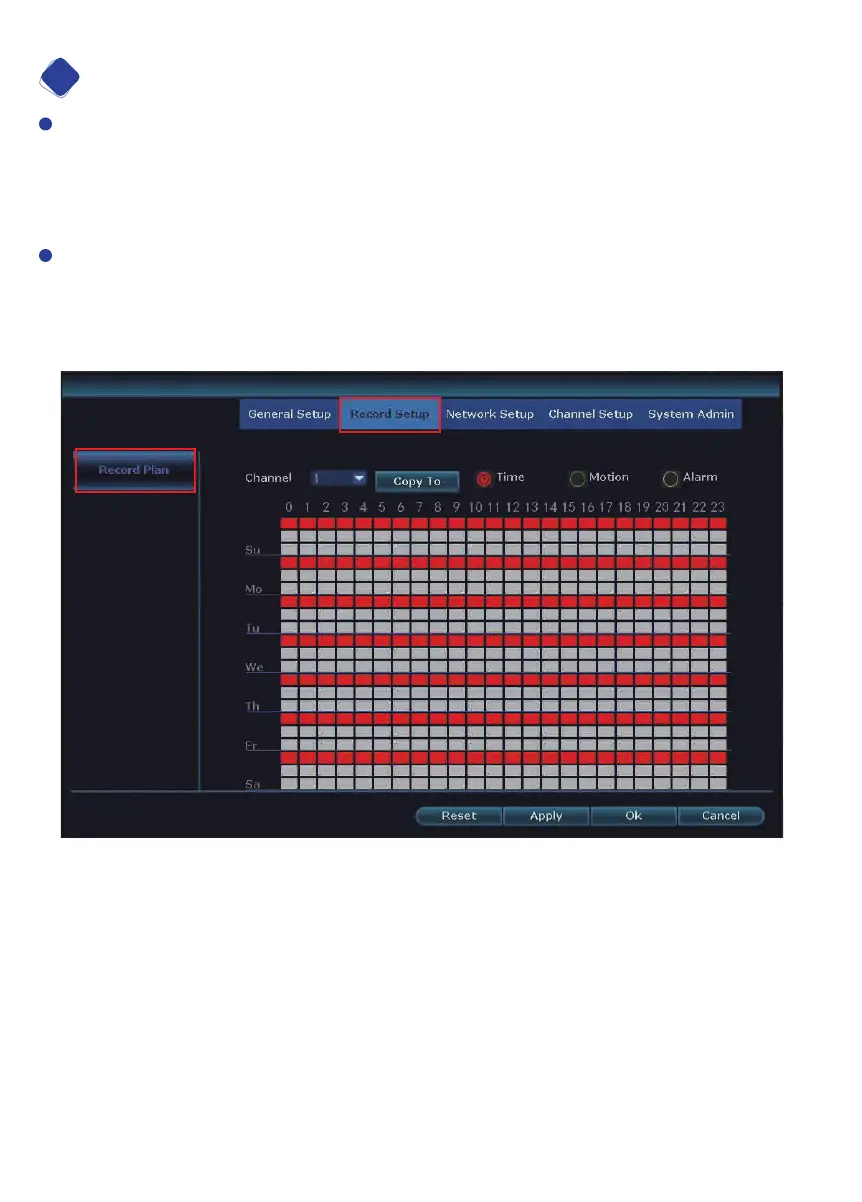
TYPE 1: Scheduled Recording – Right click the mouse on the home screen and
navigate to System Setup>Record Setup.
Factory default setting is playing 24 hours/ 7days recording for all channels.
11


 To Next Page